A QR code per range
A poster as PDF, or a screen at the range that shows the current code and changes it by itself at the interval the club chooses.
For pistol clubs and shooting clubs
EIT is the club’s digital training log. Members scan the QR code at the range, pay with Vipps and get the attest for their firearms application filled in on the police’s own form. The club gets competitions with live results, courses, calendar, duties, a range queue, club gun loans, a till and membership fees – all in one app on the phone.
How it works
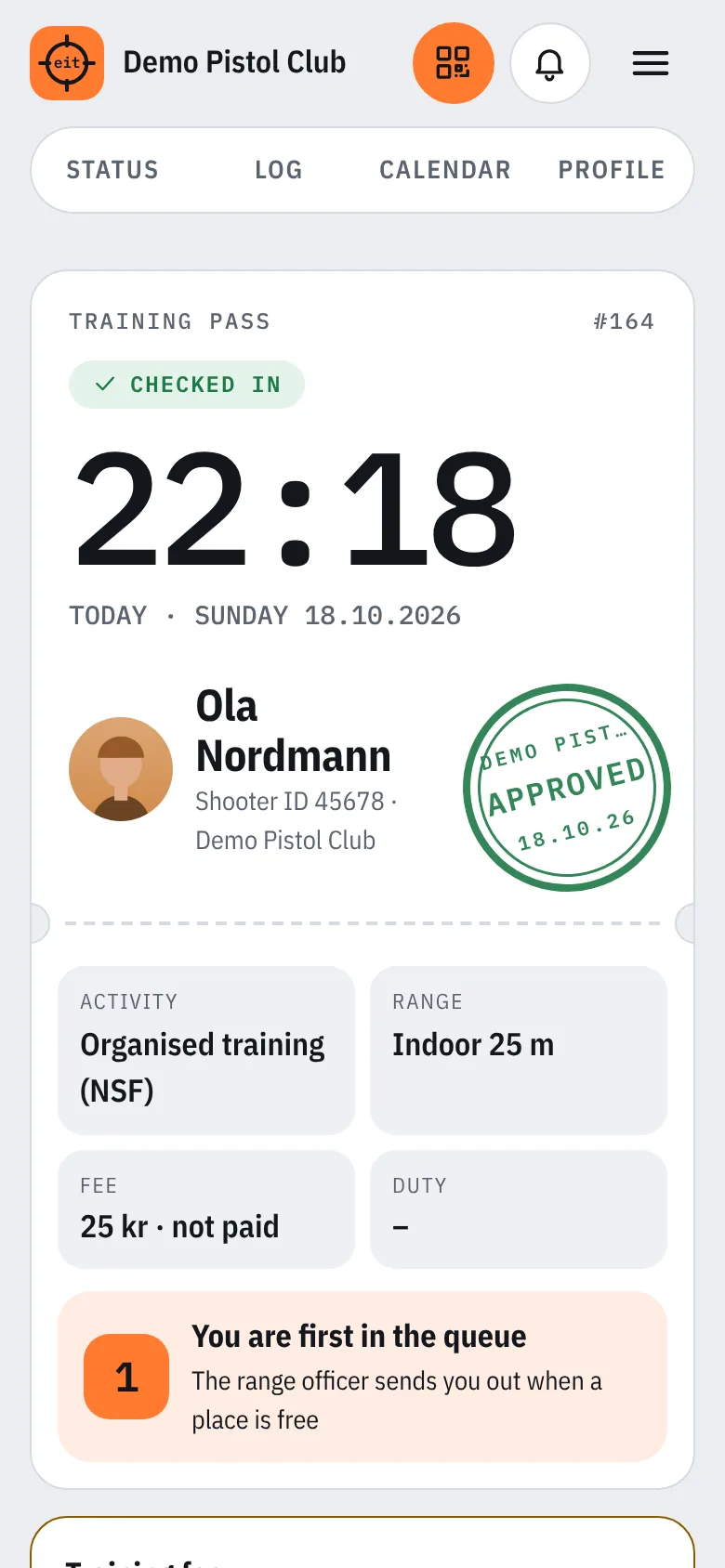
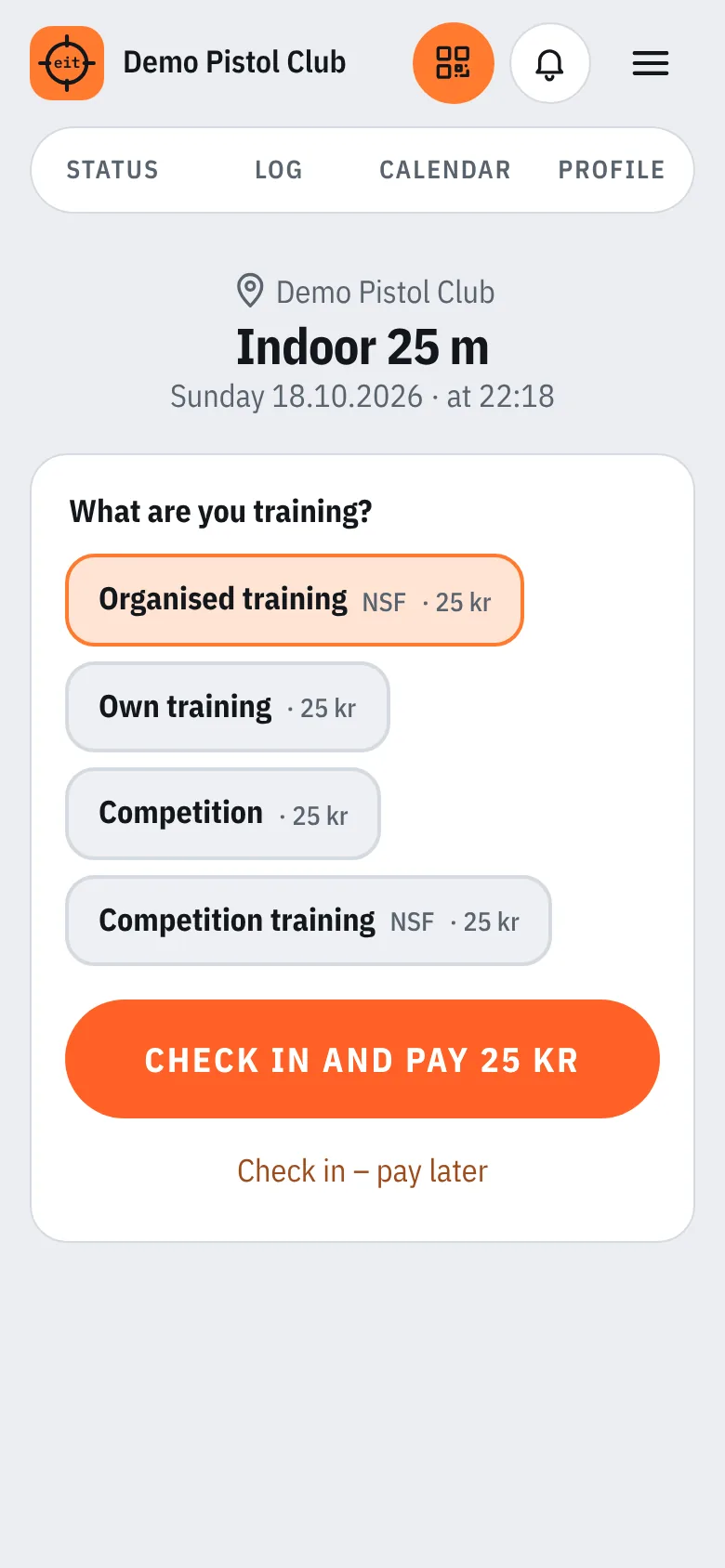
Each range has its own code – on a poster or on a screen that changes the code automatically. The phone camera is enough, or the scanner in the app.
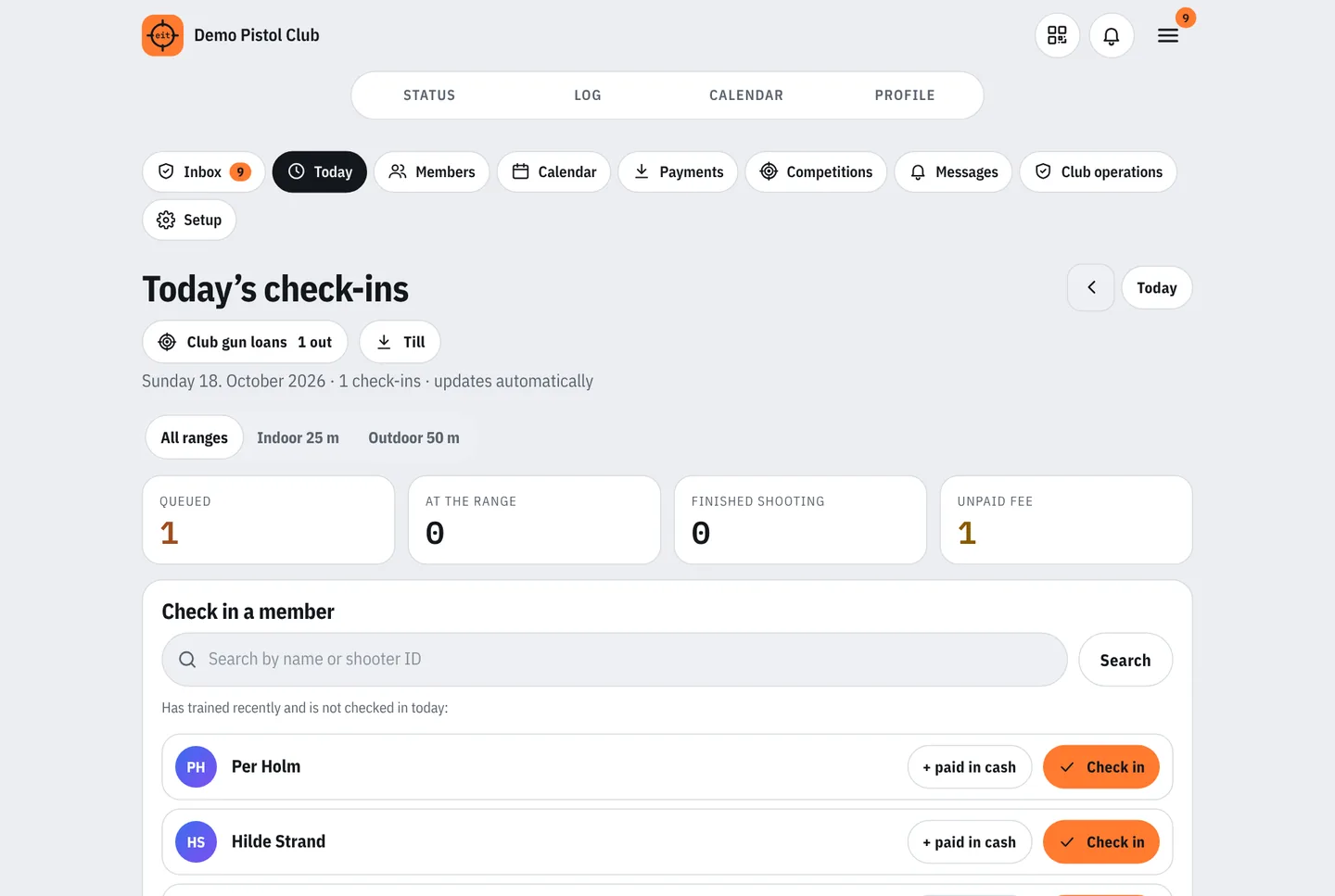
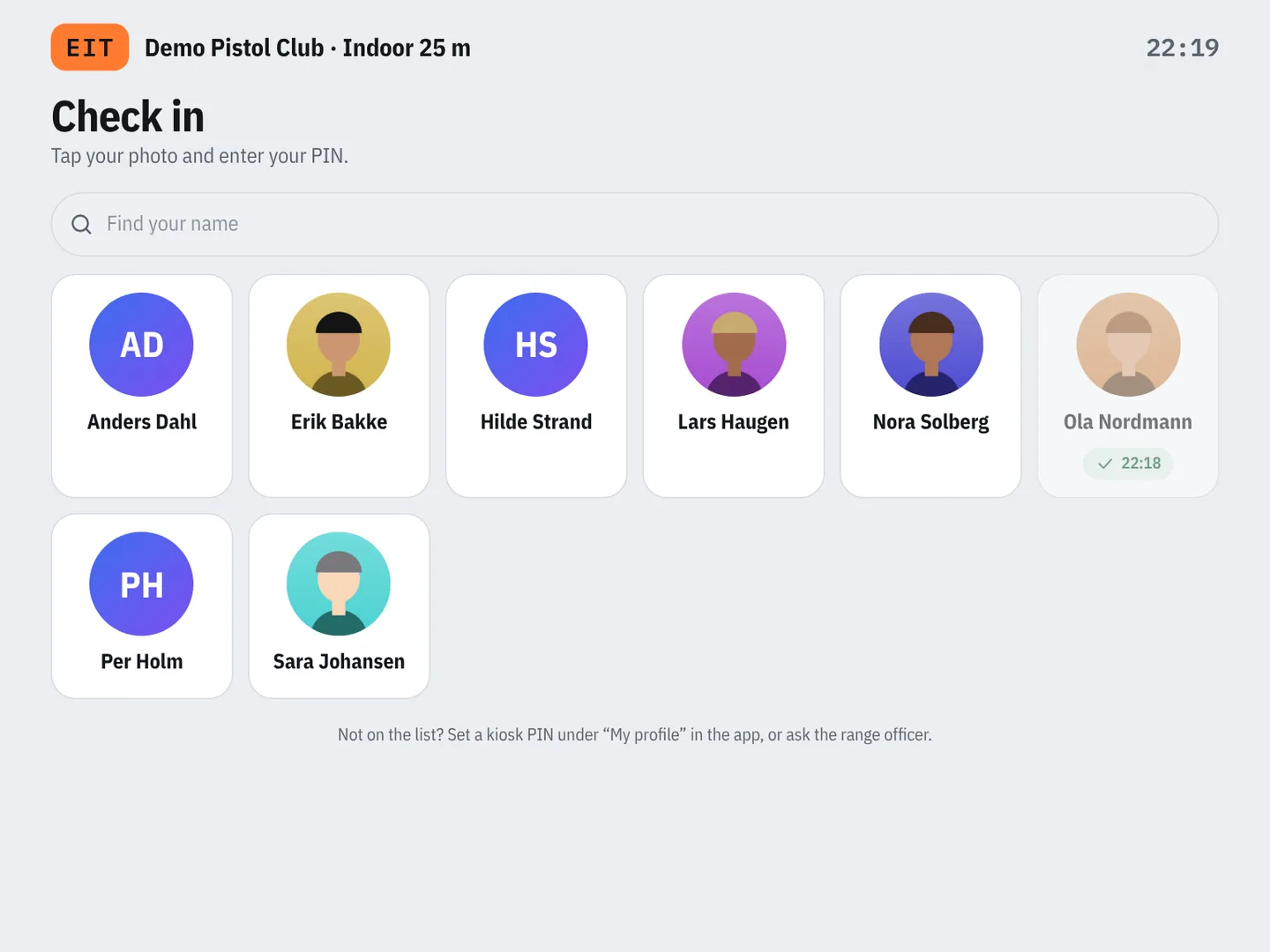
The activity is preselected. One tap checks in and opens Vipps for the training fee. Members without a phone check in on a tablet with their photo and a PIN.
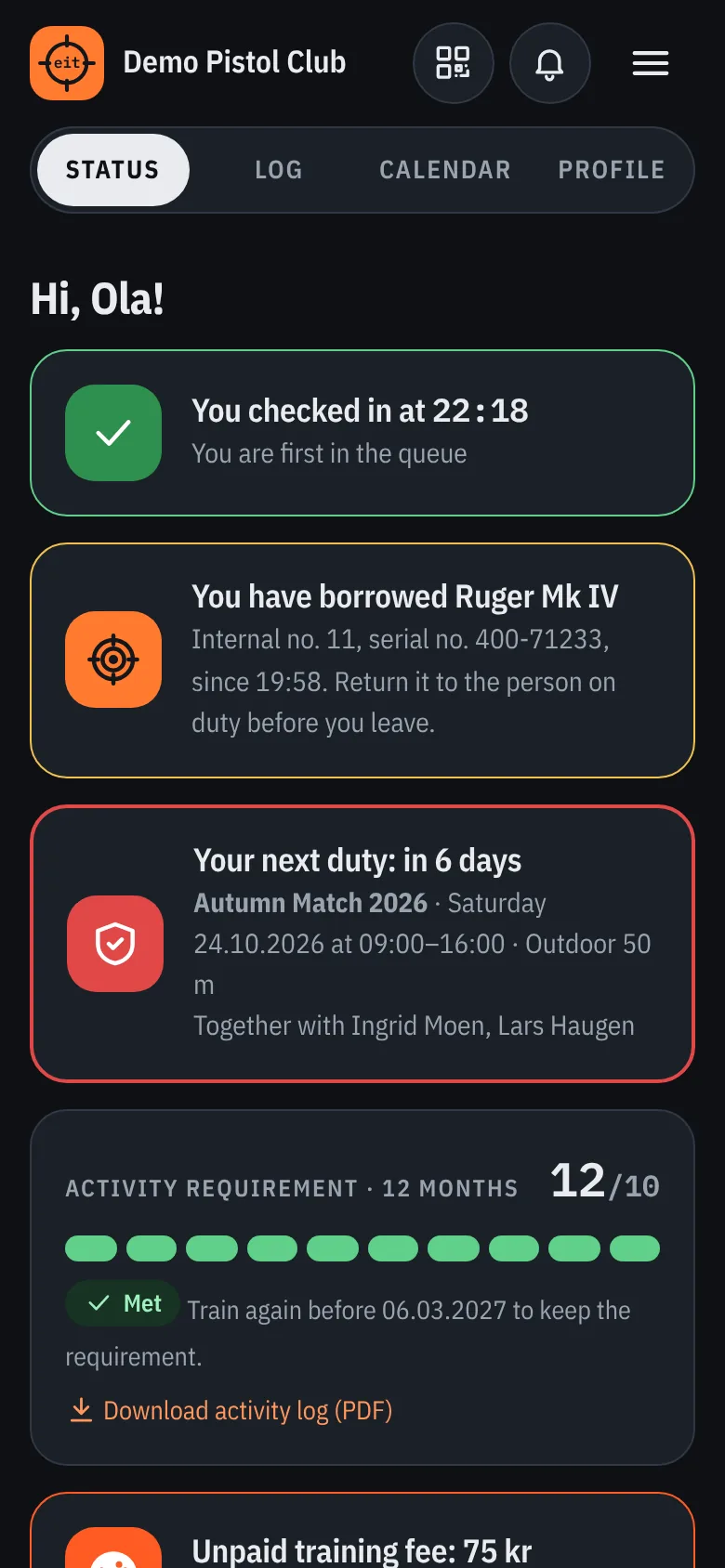
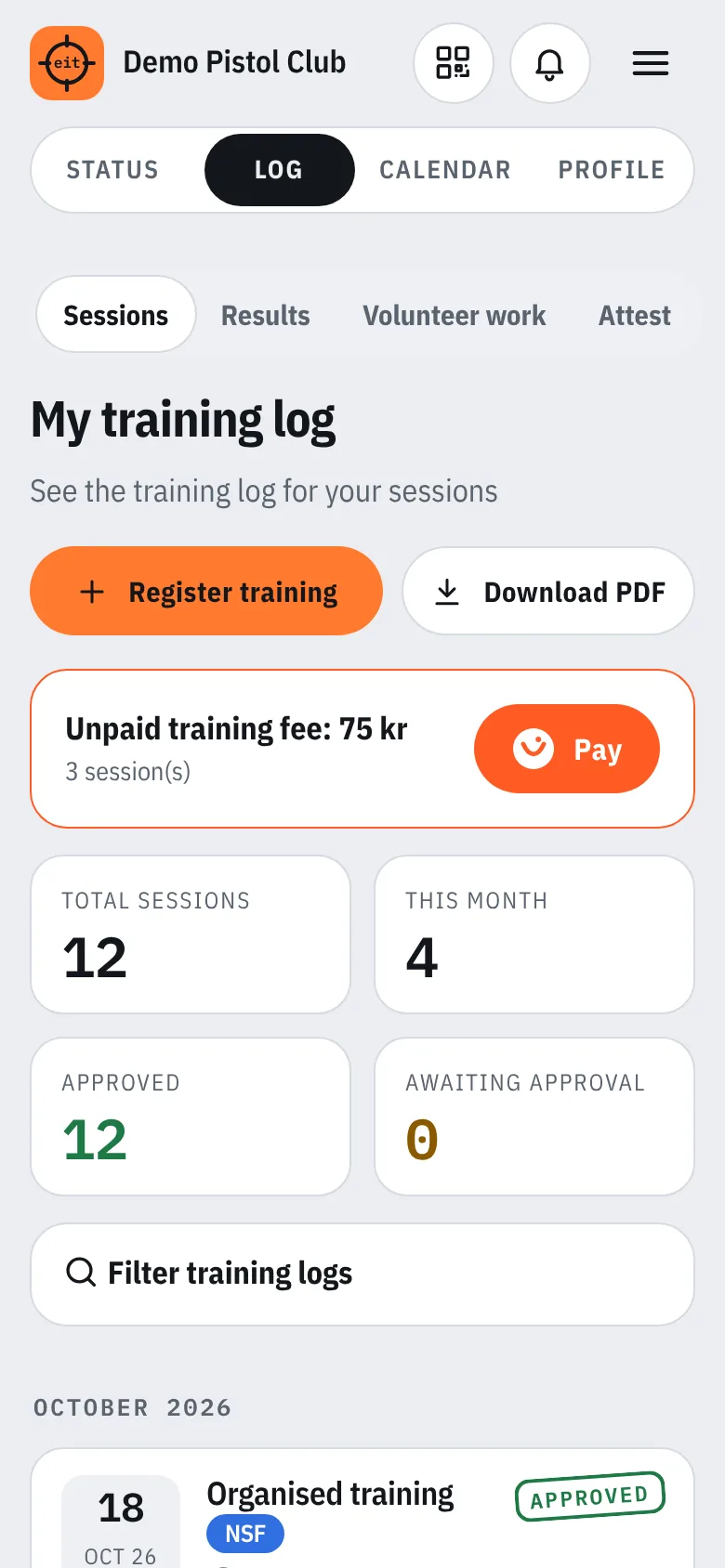
Big clock, stamp and your place in the queue. The session goes into the log, and the activity log for the police can be downloaded as a PDF whenever you like.
Features
A poster as PDF, or a screen at the range that shows the current code and changes it by itself at the interval the club chooses.
Training fee per session, price per activity, entry fees and prepayment for competitions, exemptions and refunds.
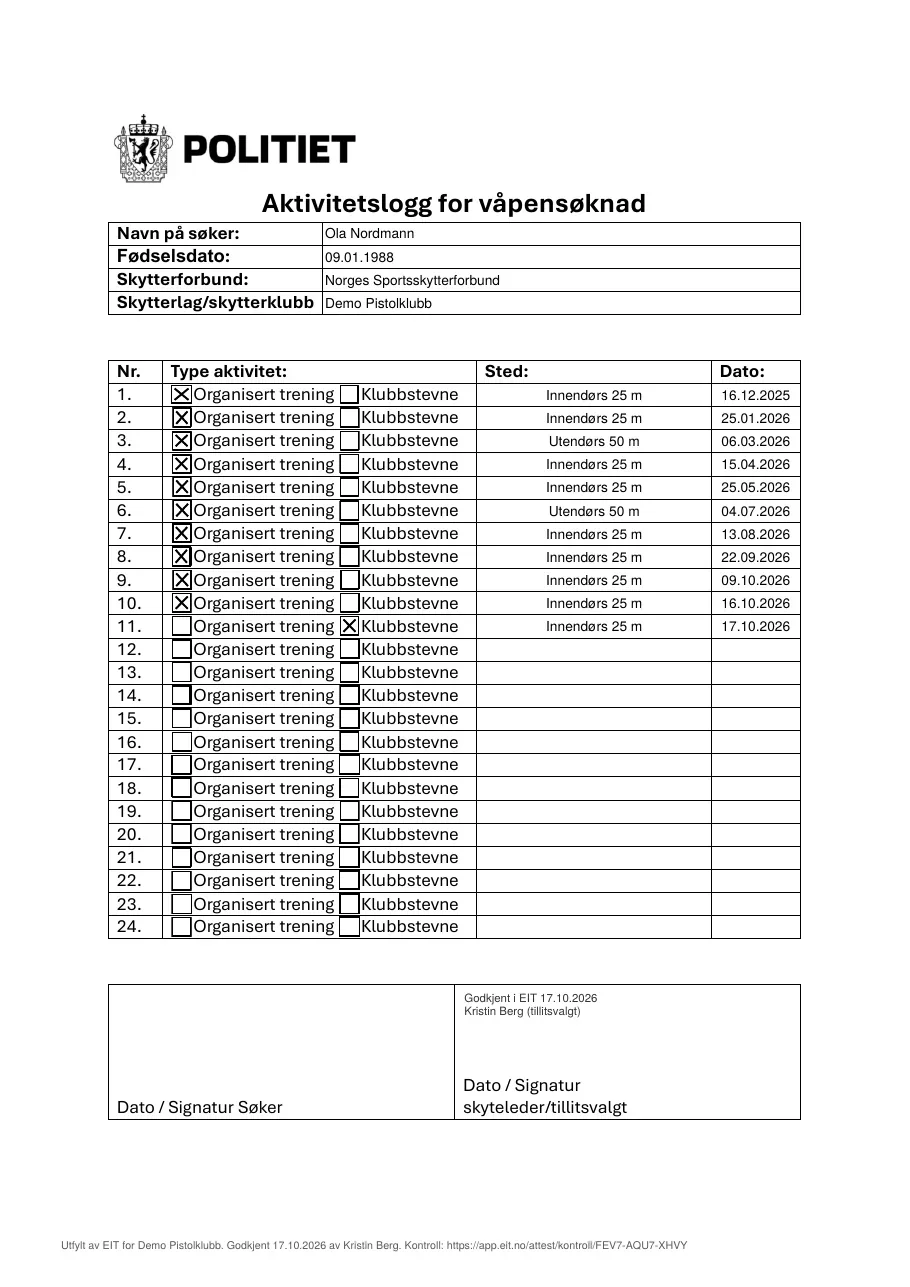
EIT fills in the police’s “Activity log for firearms application” with the sessions and competitions, the range officer approves in the app, and the form is signed as before.
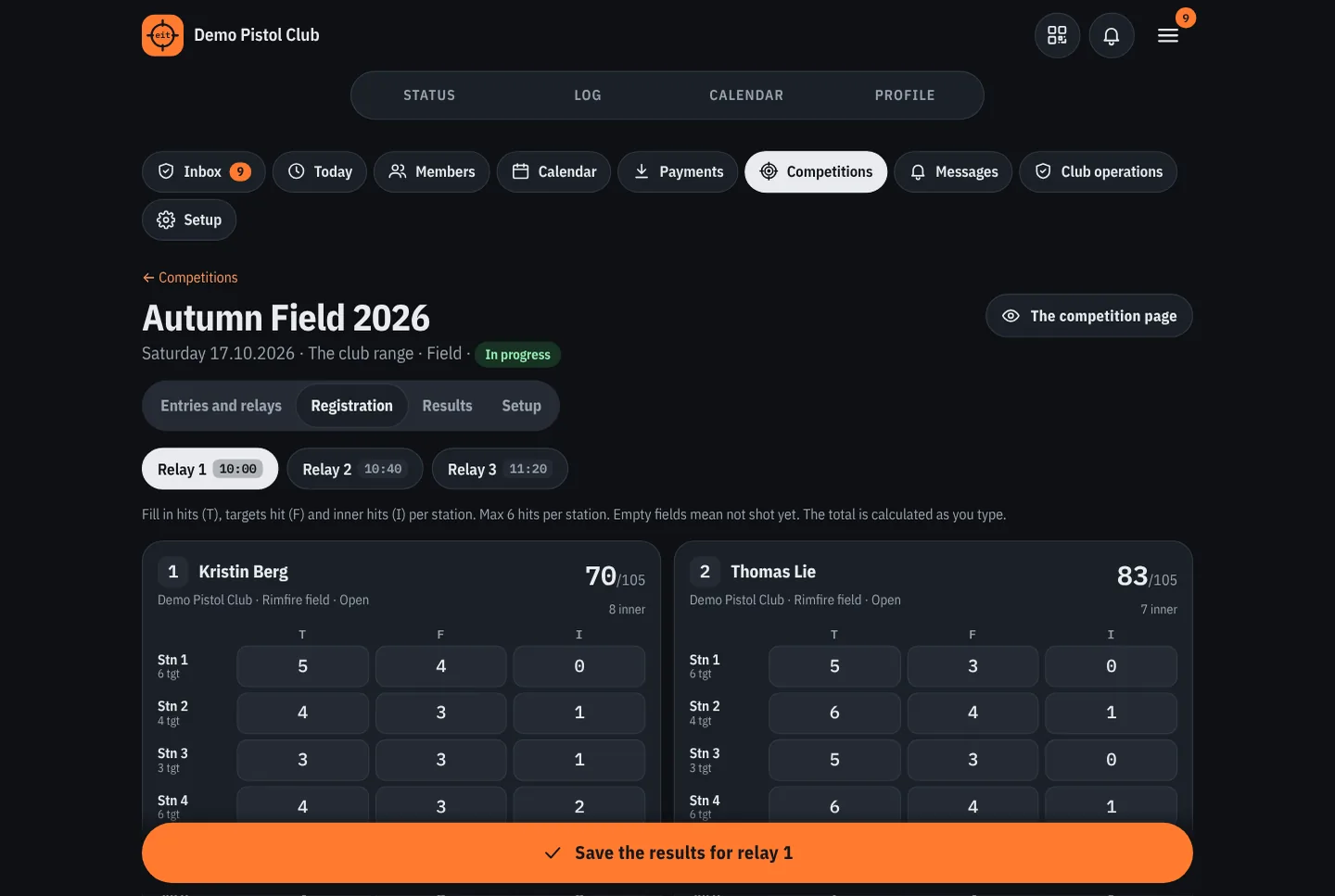
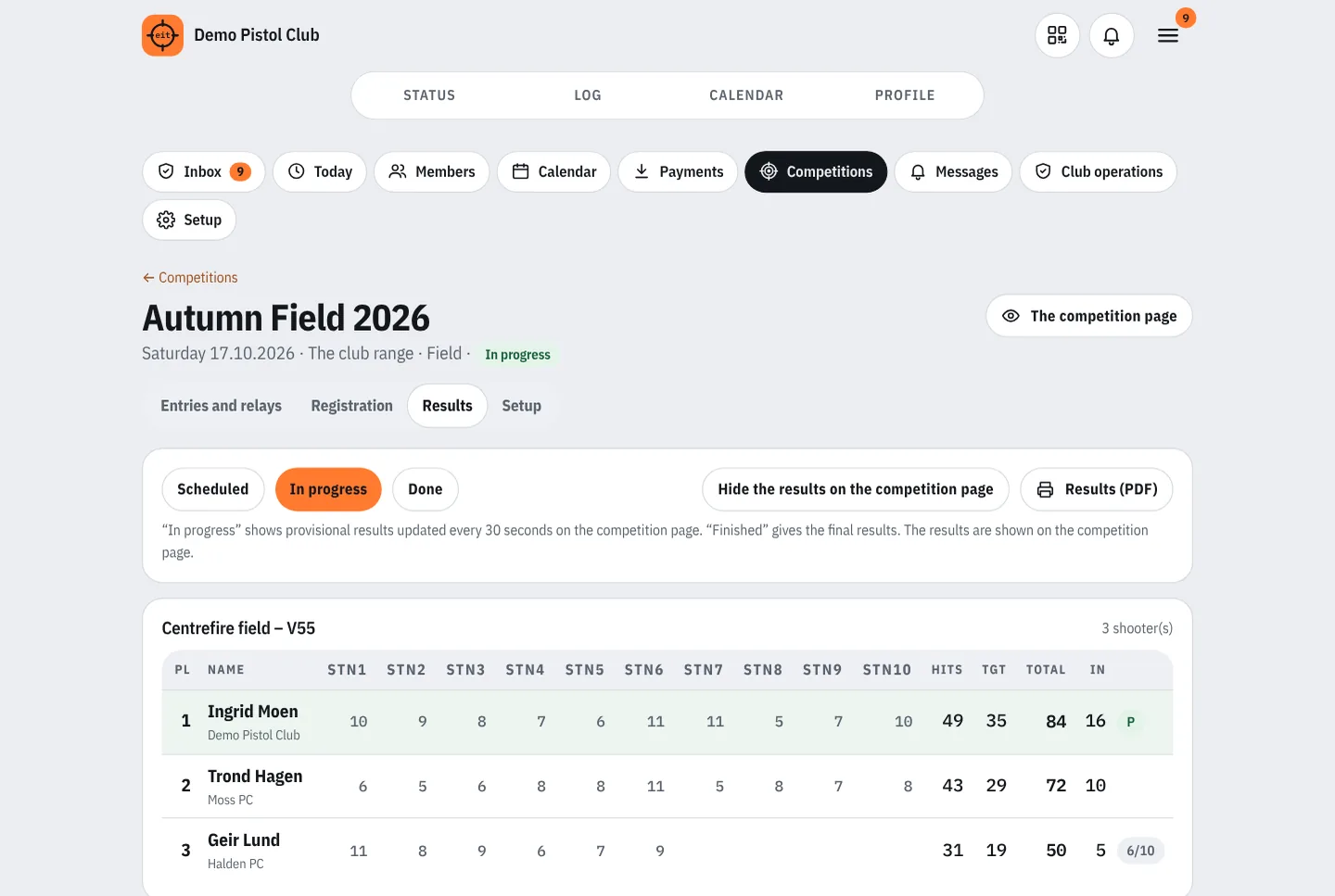
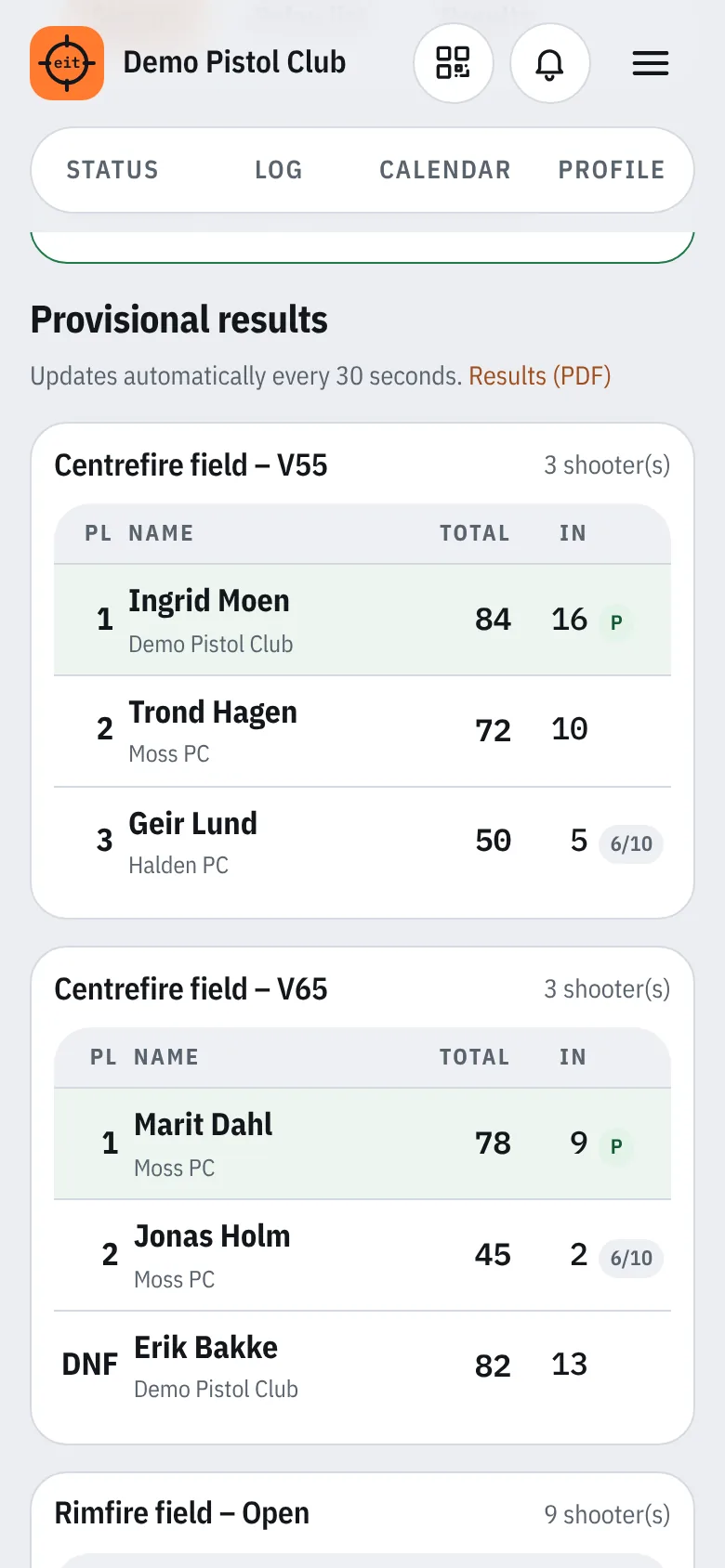
Entries, relay list, registration per relay and ranking according to the NSF rules. The results update live on the competition page.
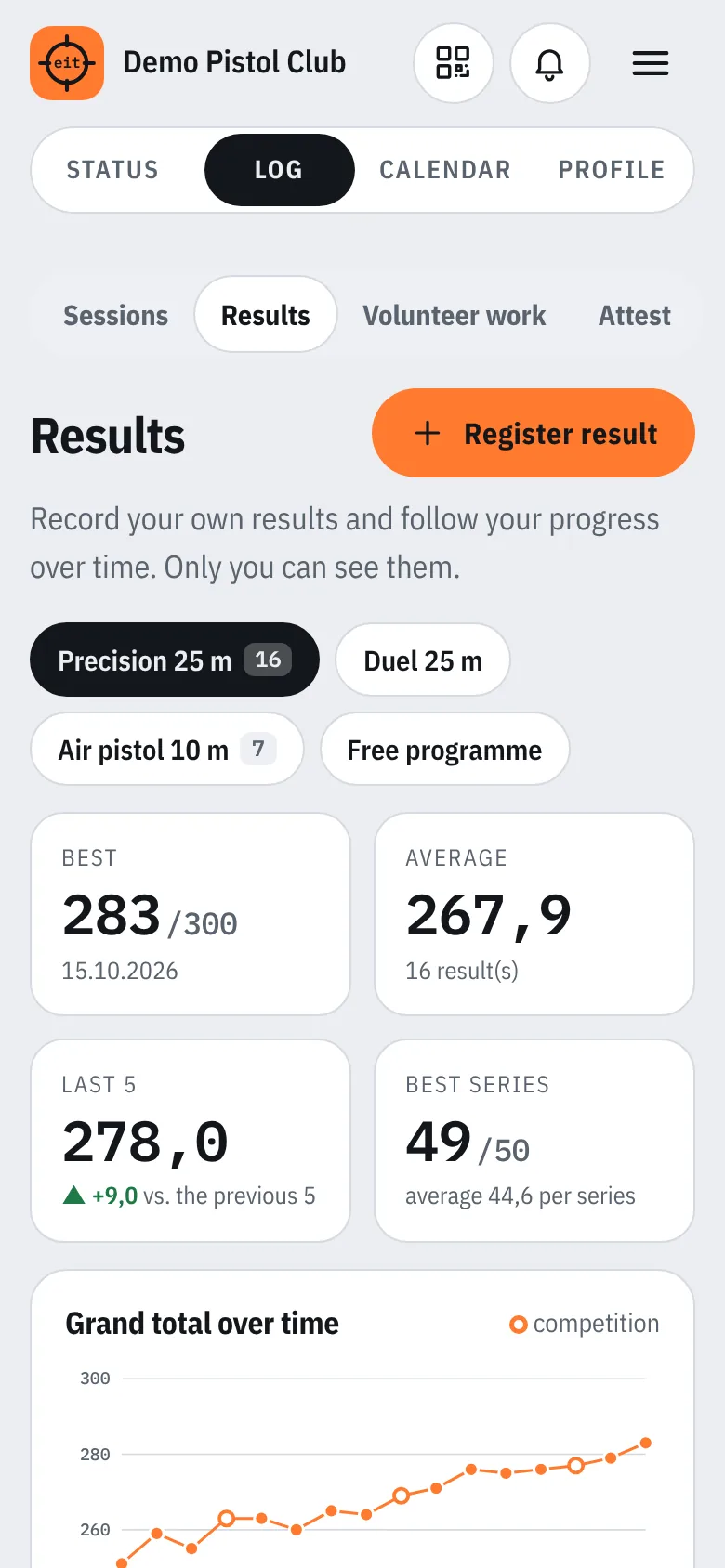
Members record series totals per event and see their best result, average, trend and a graph over time.
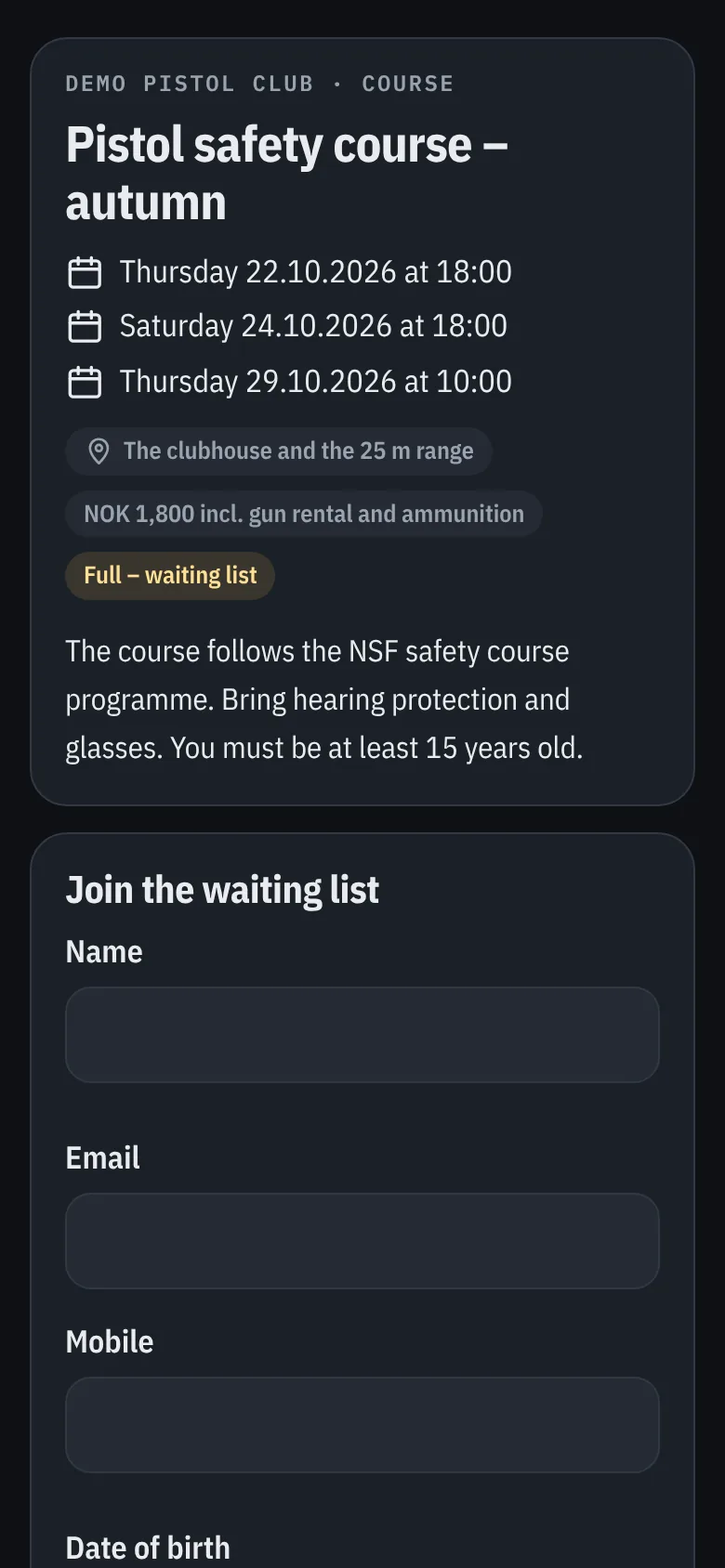
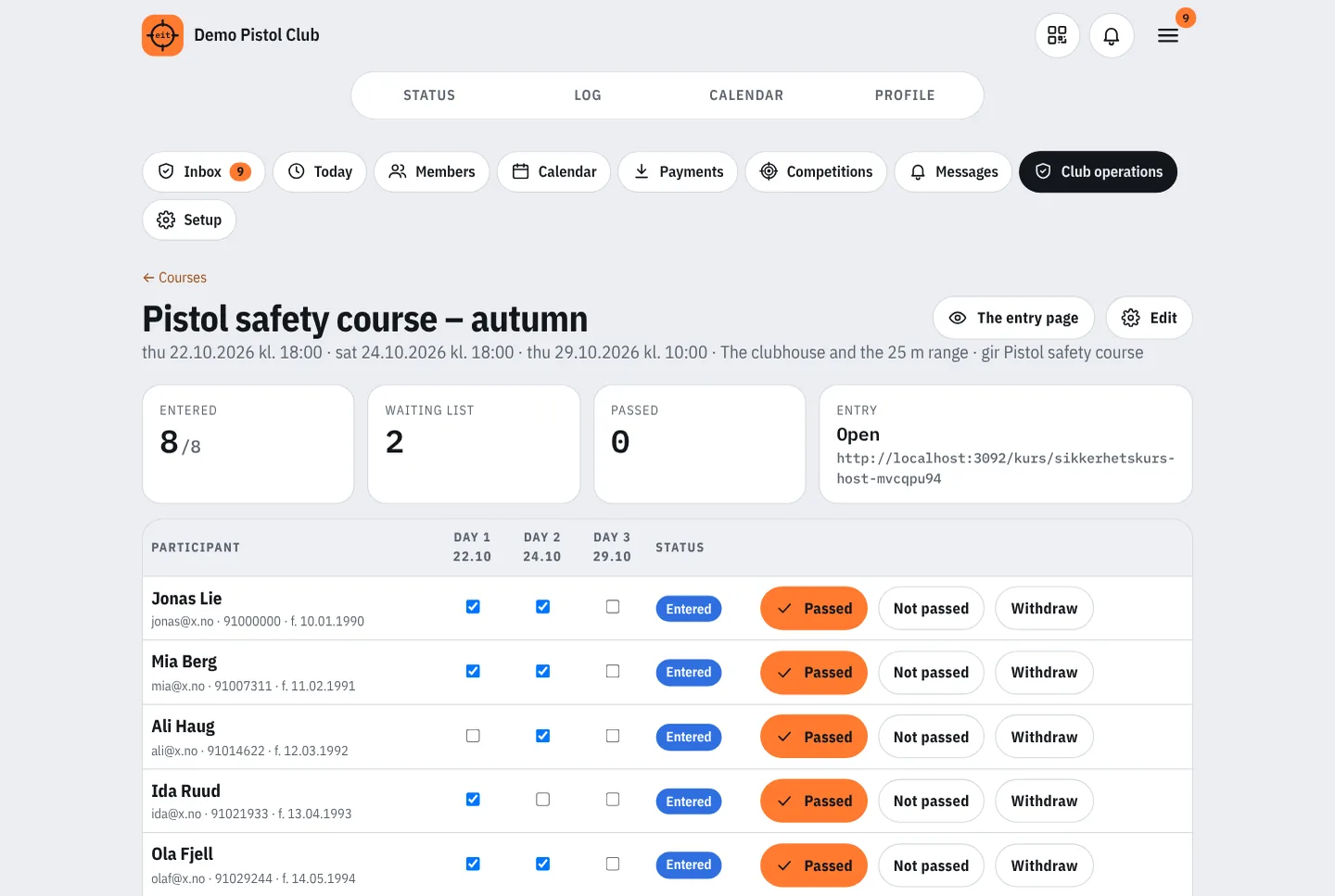
Sign-up with a waiting list, attendance and certificates. The club can require a course for check-in and range officer status for duty.
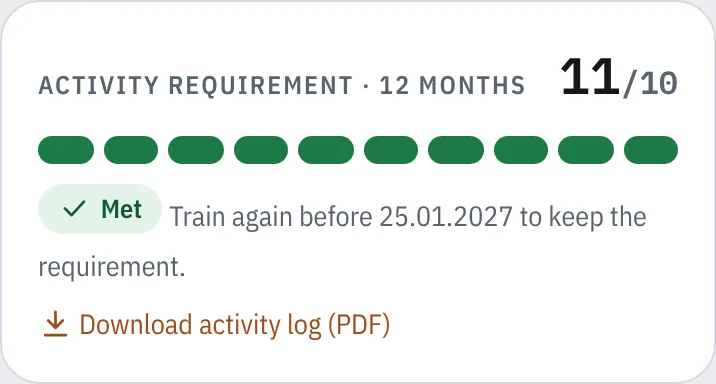
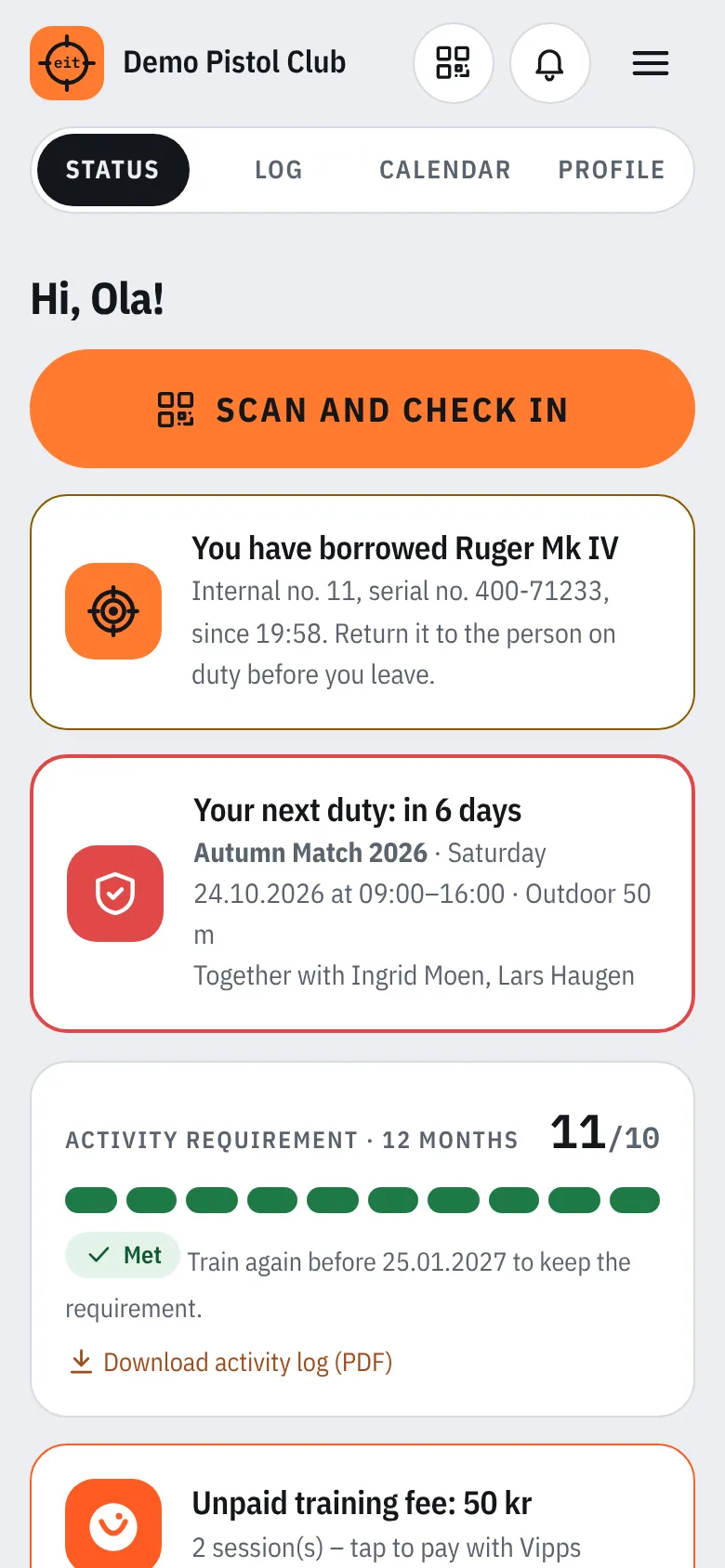
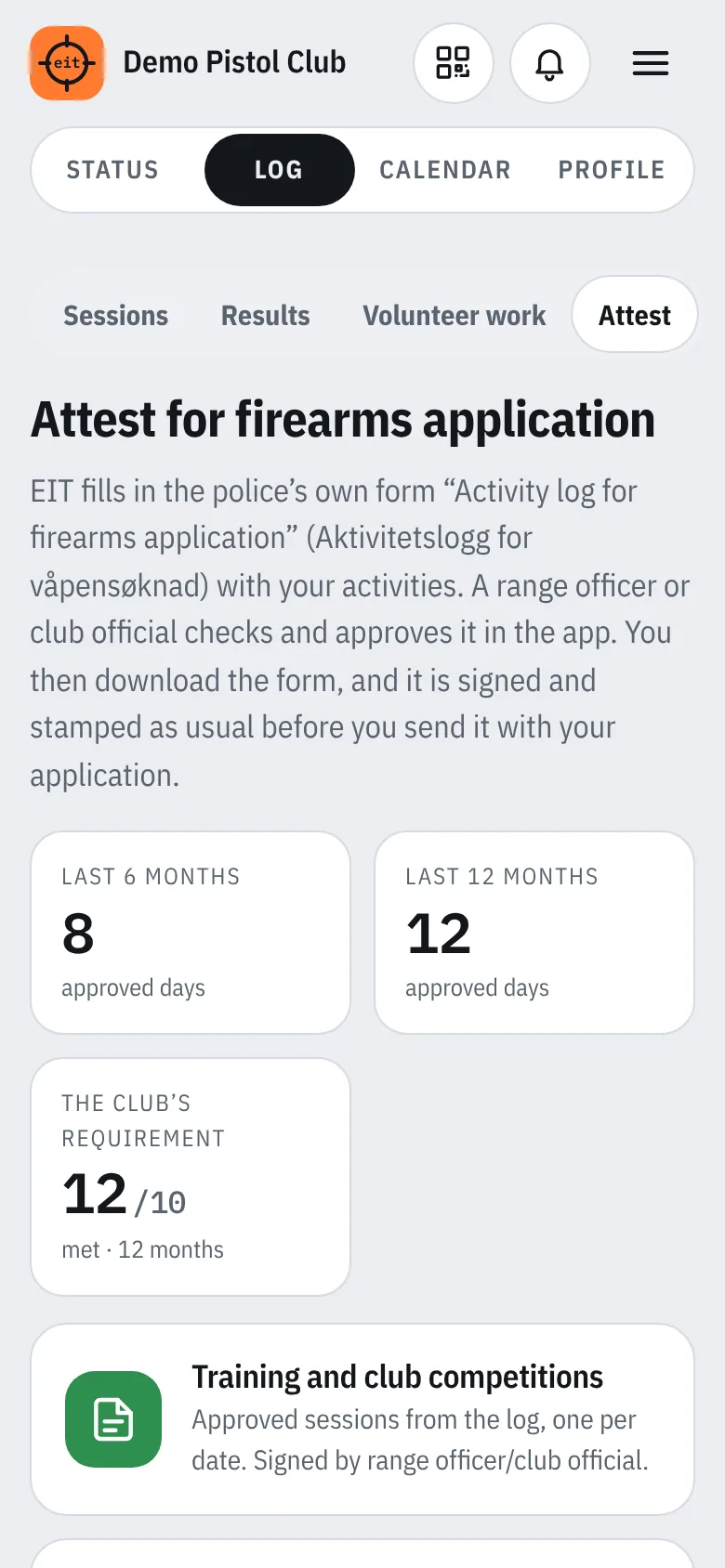
Members see how many sessions they have done and how many are missing, and can get a reminder.
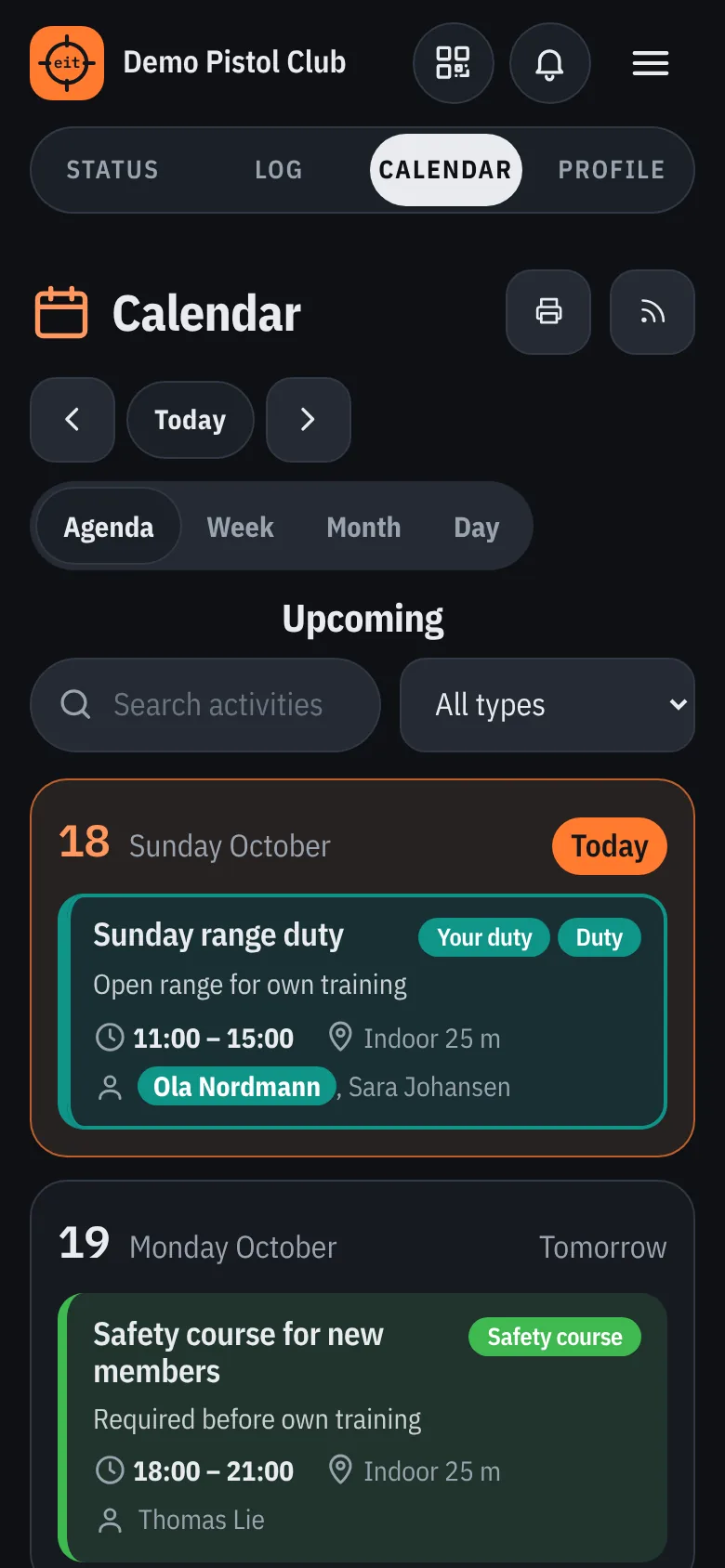
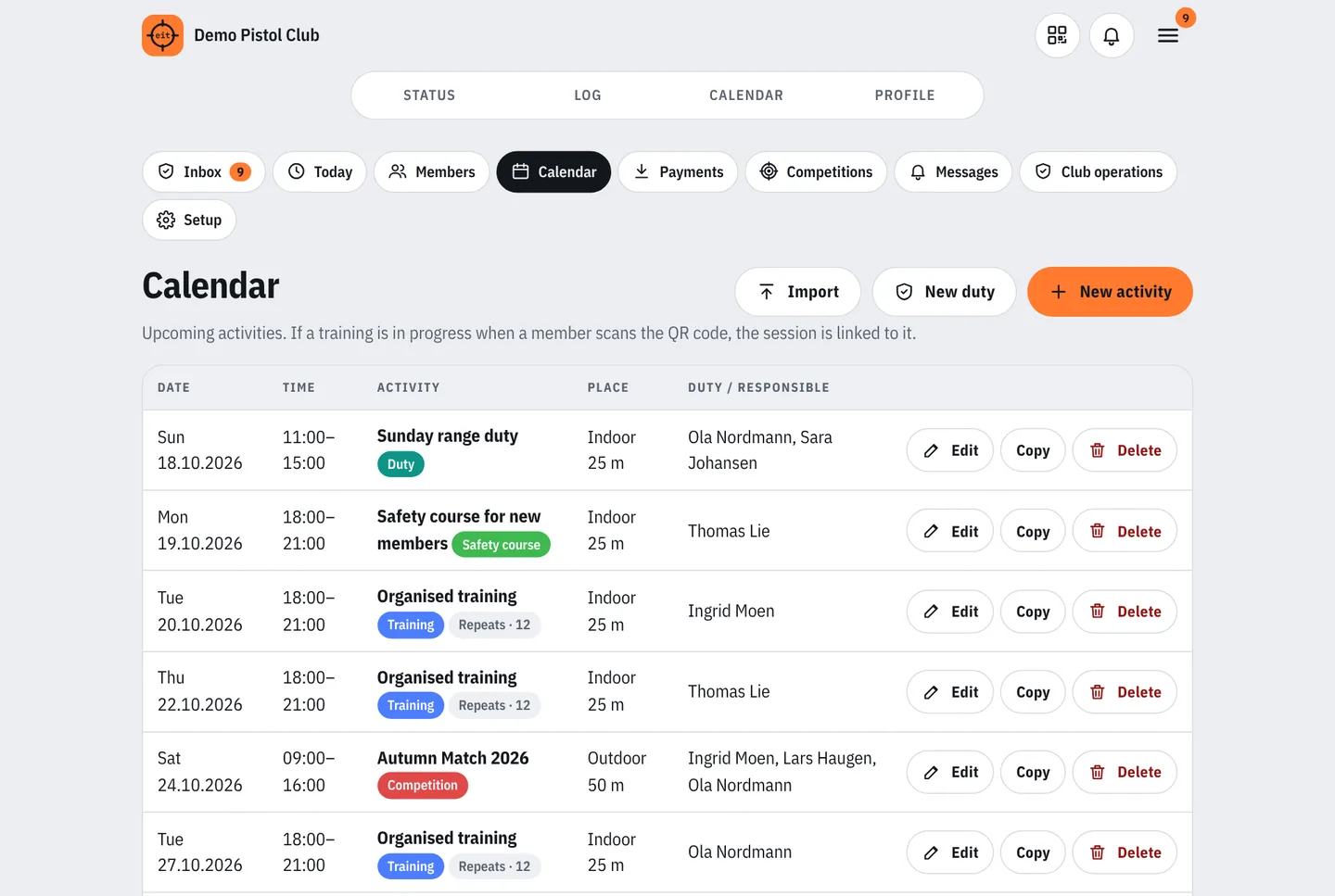
Training, competitions, work days, courses and the annual meeting. Search, day, week and month, printing and a subscription in the phone’s calendar.
Everyone can see who is on duty. The person on duty is notified when they are put on duty and reminded before the duty.
Checked-in members queue by time. The range officer sends them out to a lane and ticks off finished shooting.
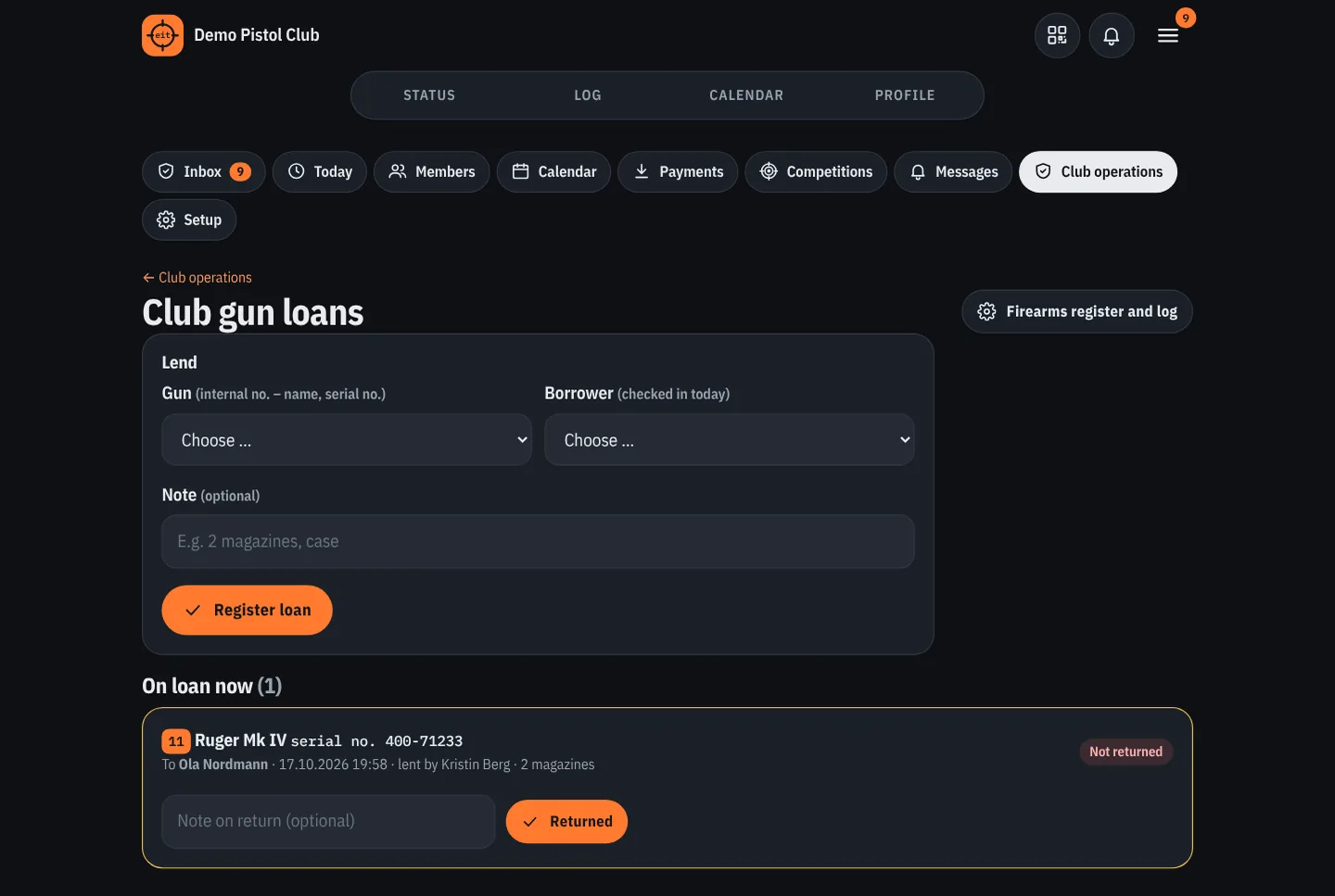
The person on duty lends guns by internal number to checked-in members. A QR label on the gun for cleaning and repairs, and a log for inspection.
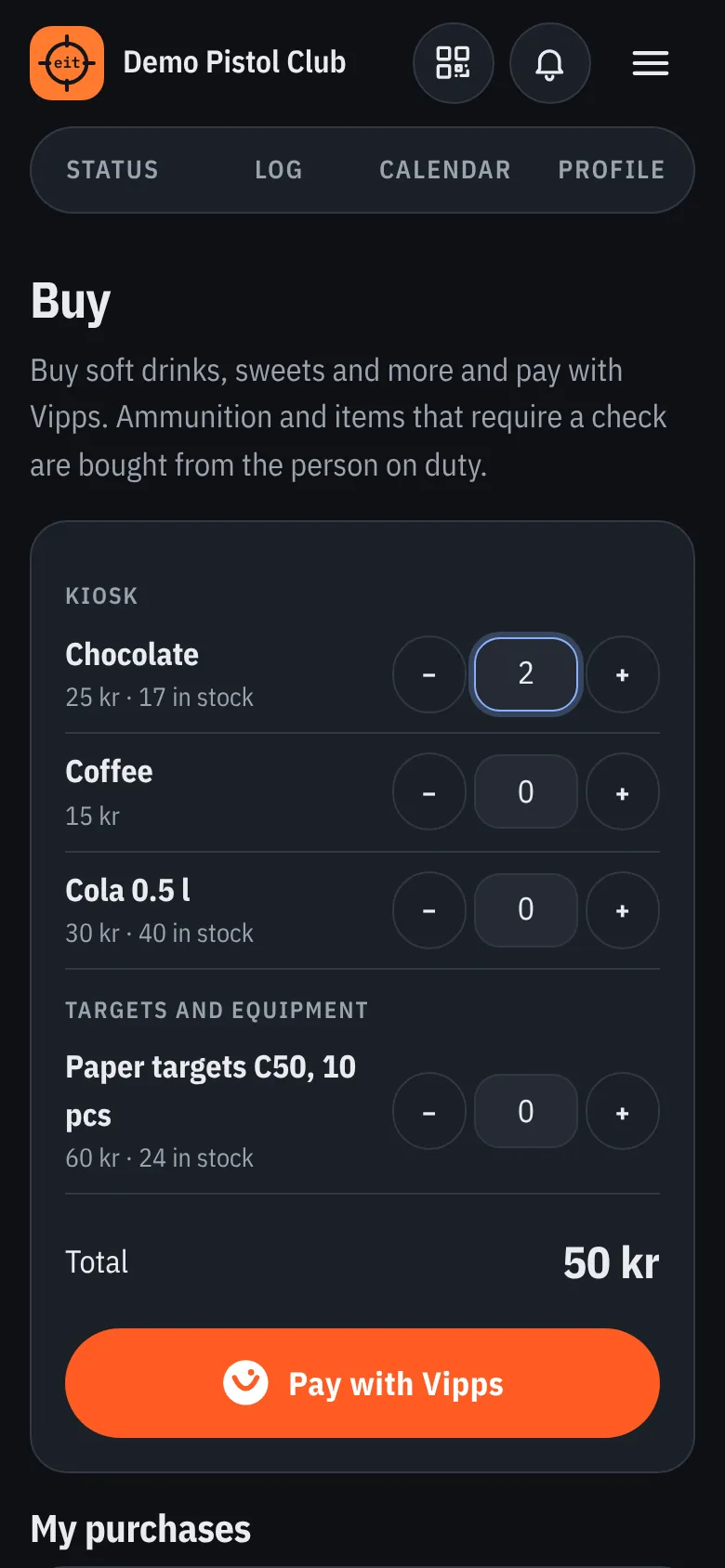
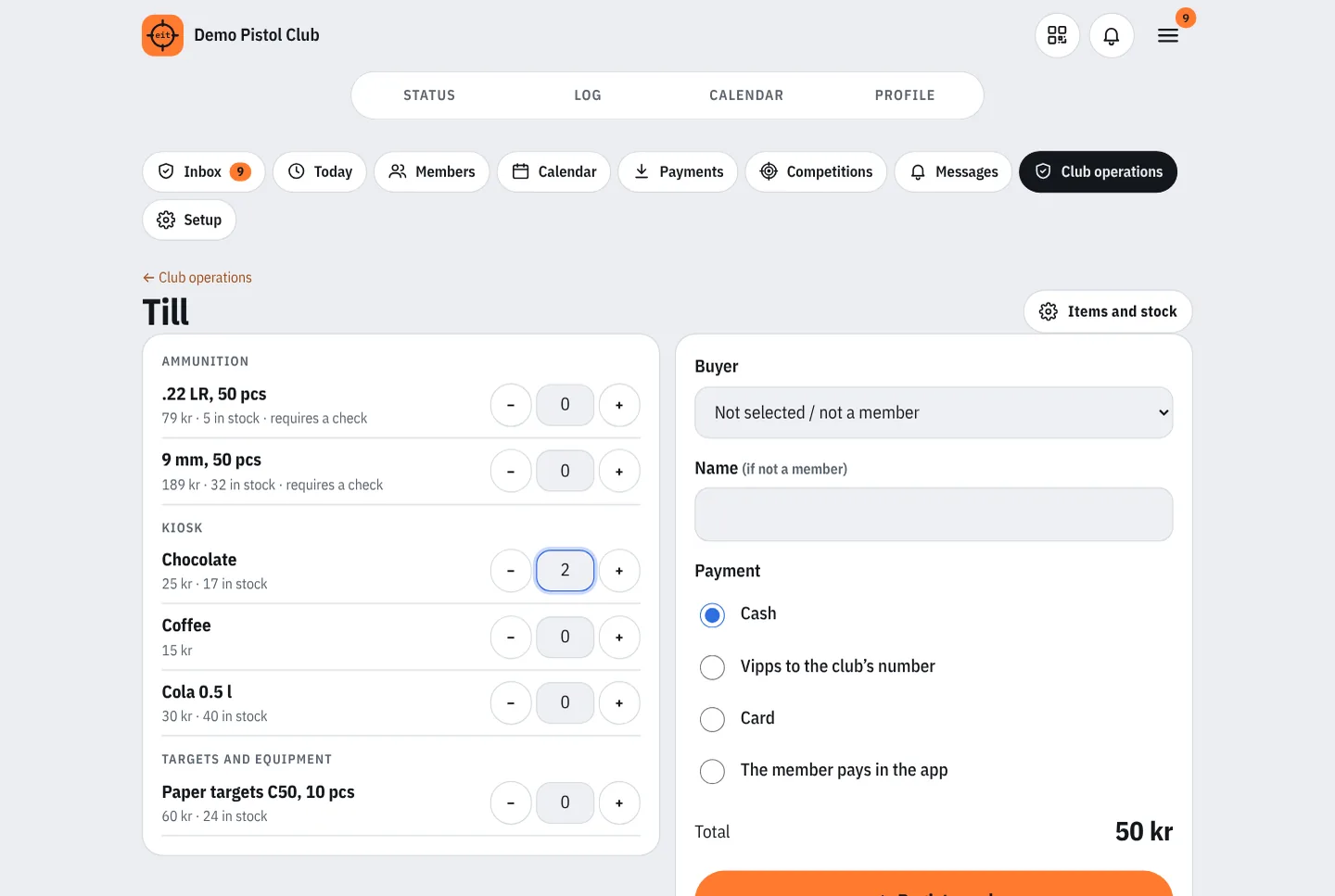
A till for the person on duty and purchases with Vipps in the app. Stock with supplier and purchase price, internal use and ammunition accounts per calibre.
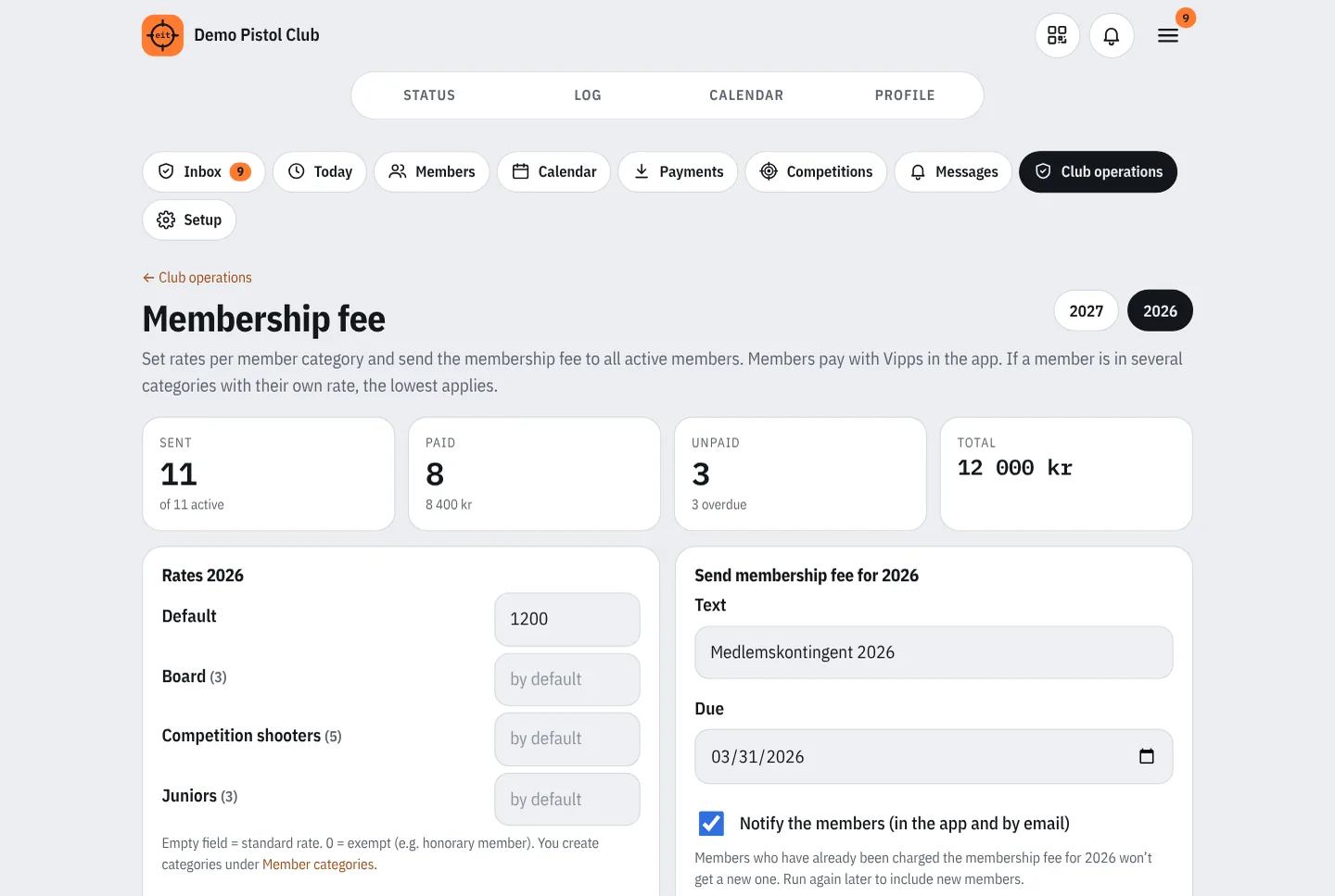
Rates per member category, sending out, payment in the app, reminders and an overview of who has paid.
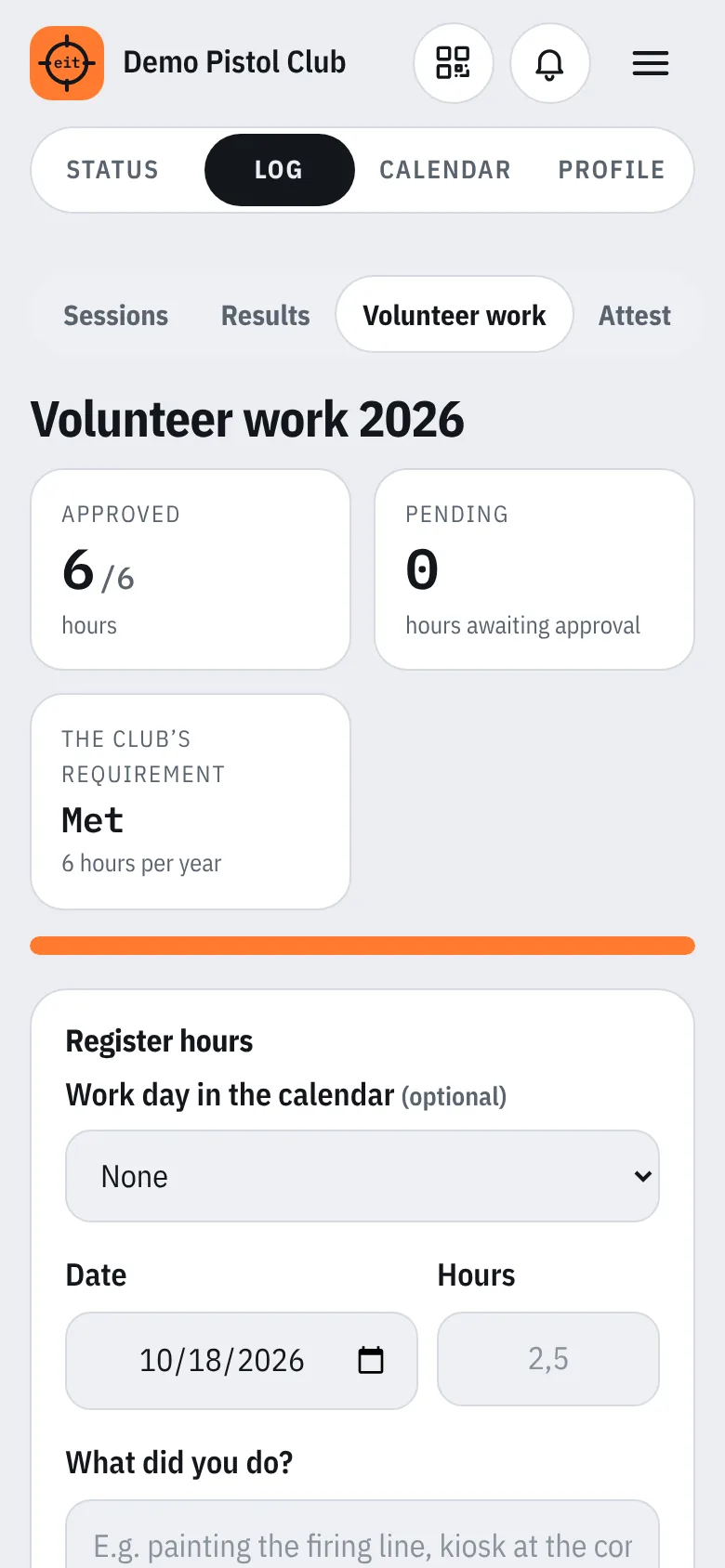
Members log their own hours, the board approves and sees who has reached the club’s requirement.
Report near misses and faults at the range, anonymously if you like. The board is notified, follows up and closes the case.
Members store course certificates, competition licences and weapon cards encrypted. The documents can be attached to the attest, and the weapon card is shown at the till when buying ammunition.
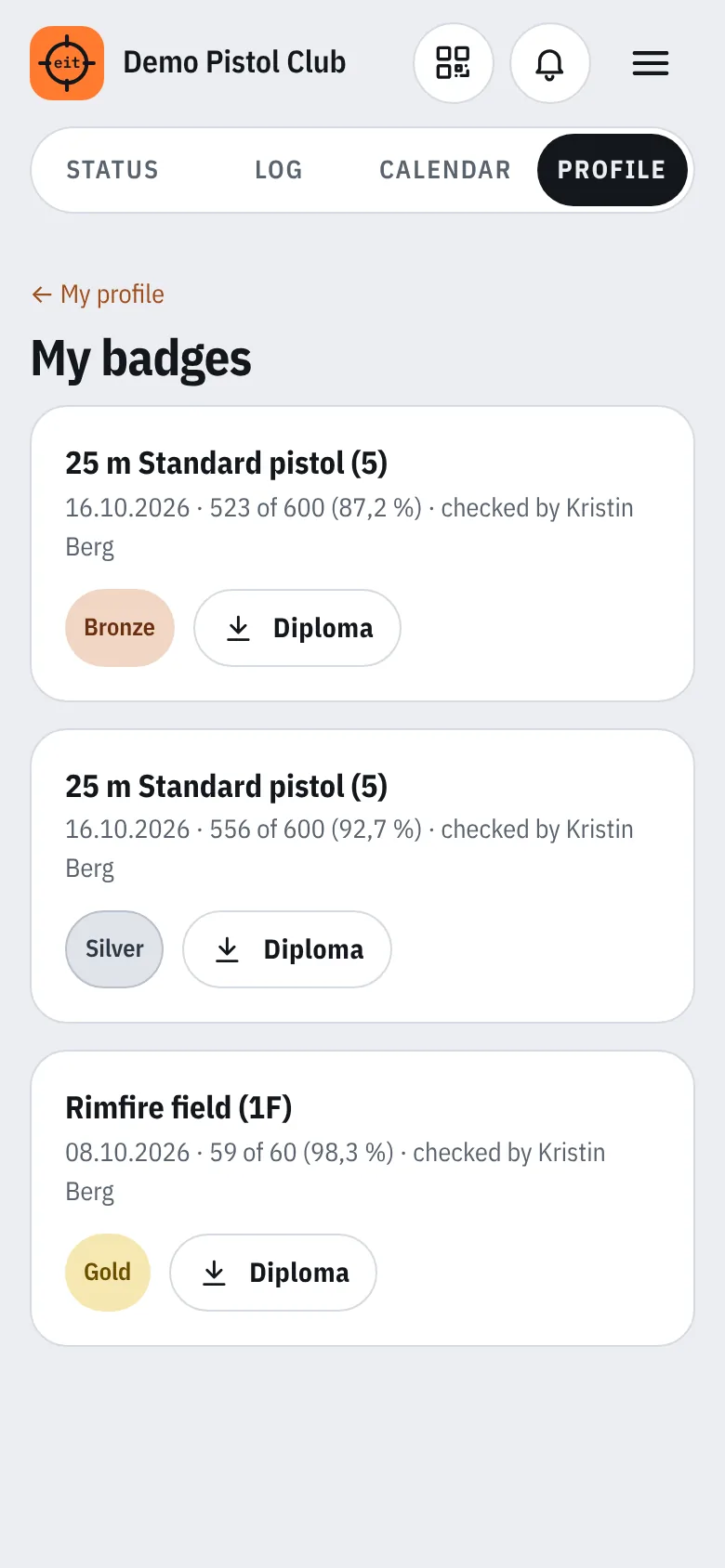
A digital record for skill badges. The badge is calculated from the requirements, and the shooter downloads the diploma.
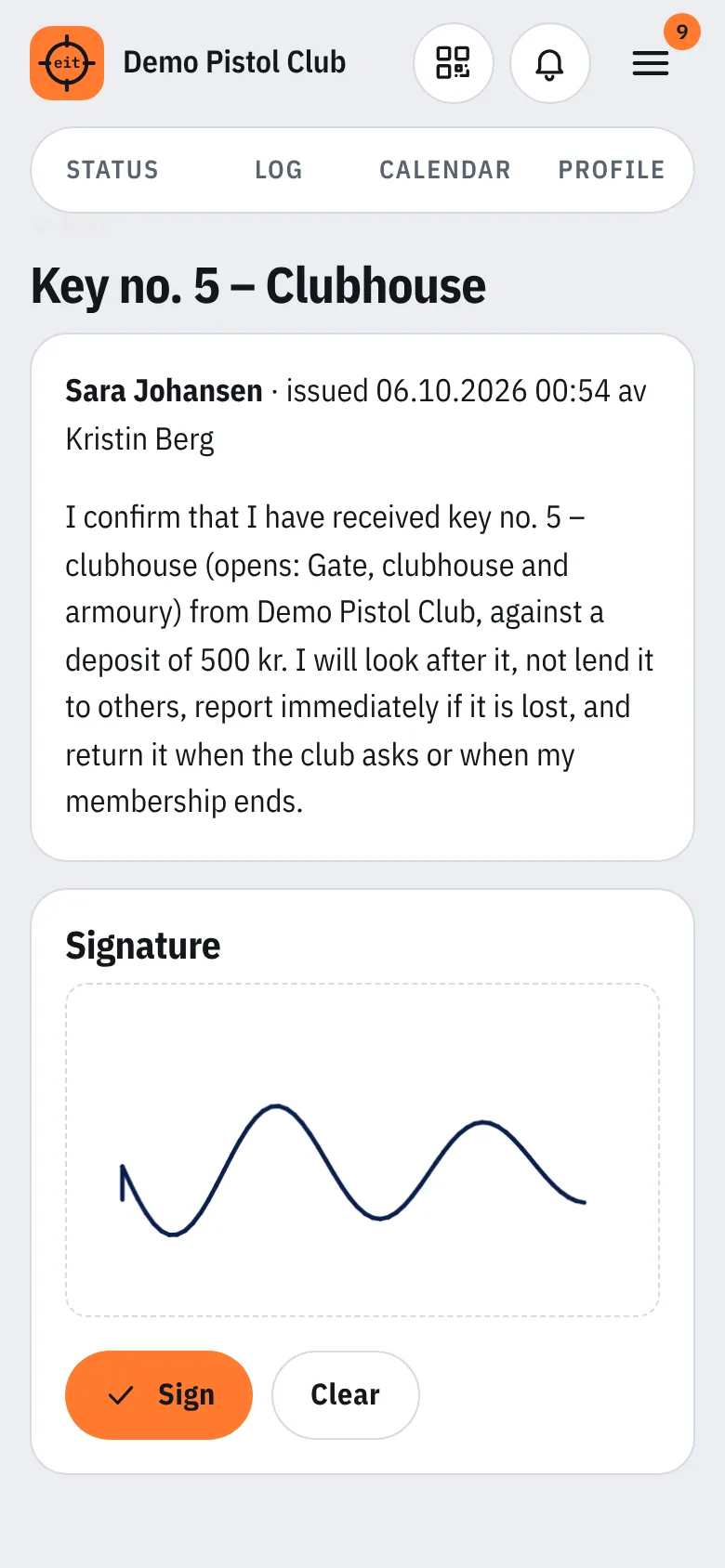
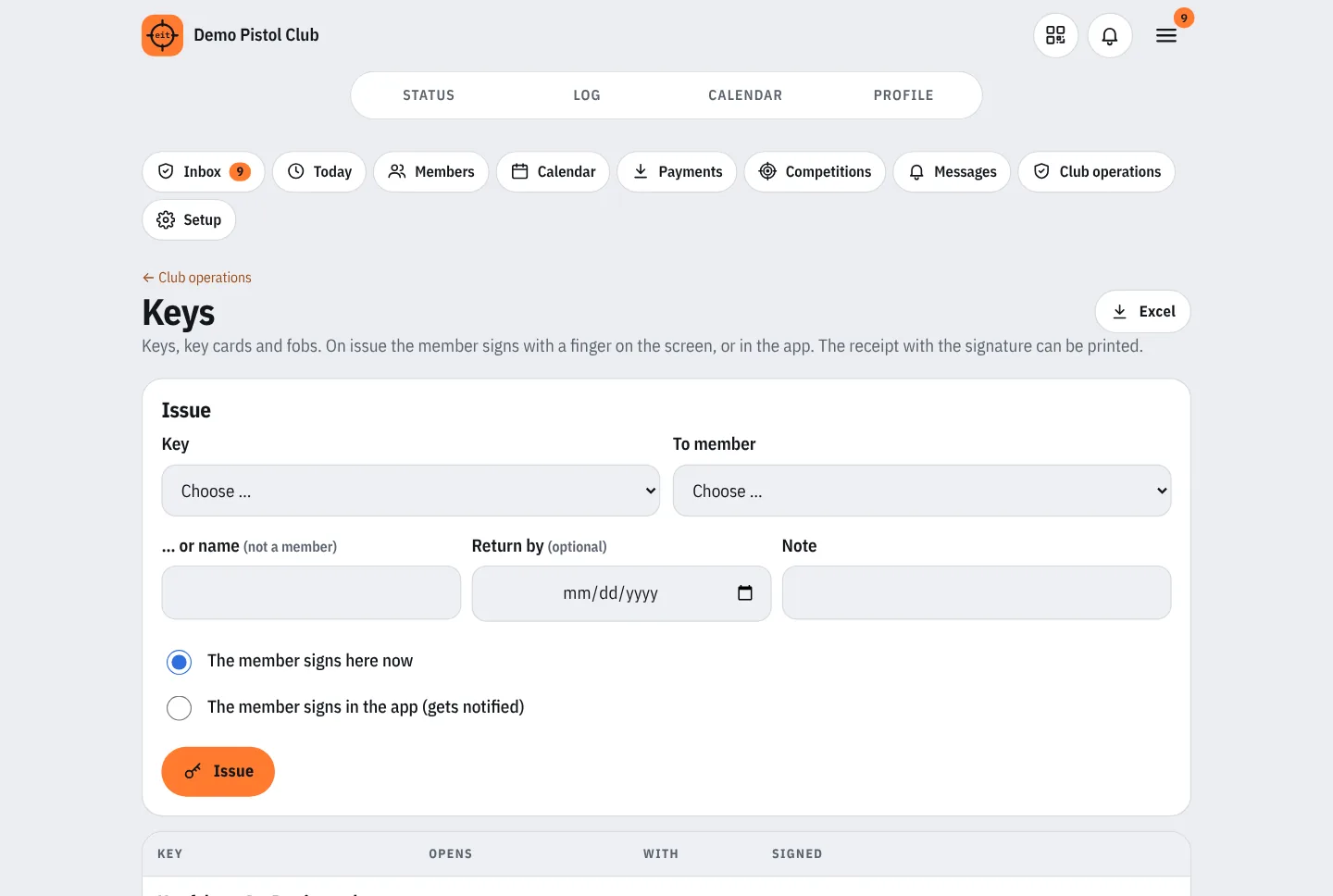
Issuing keys, cards and fobs. The member signs with a finger, and the receipt can be printed.
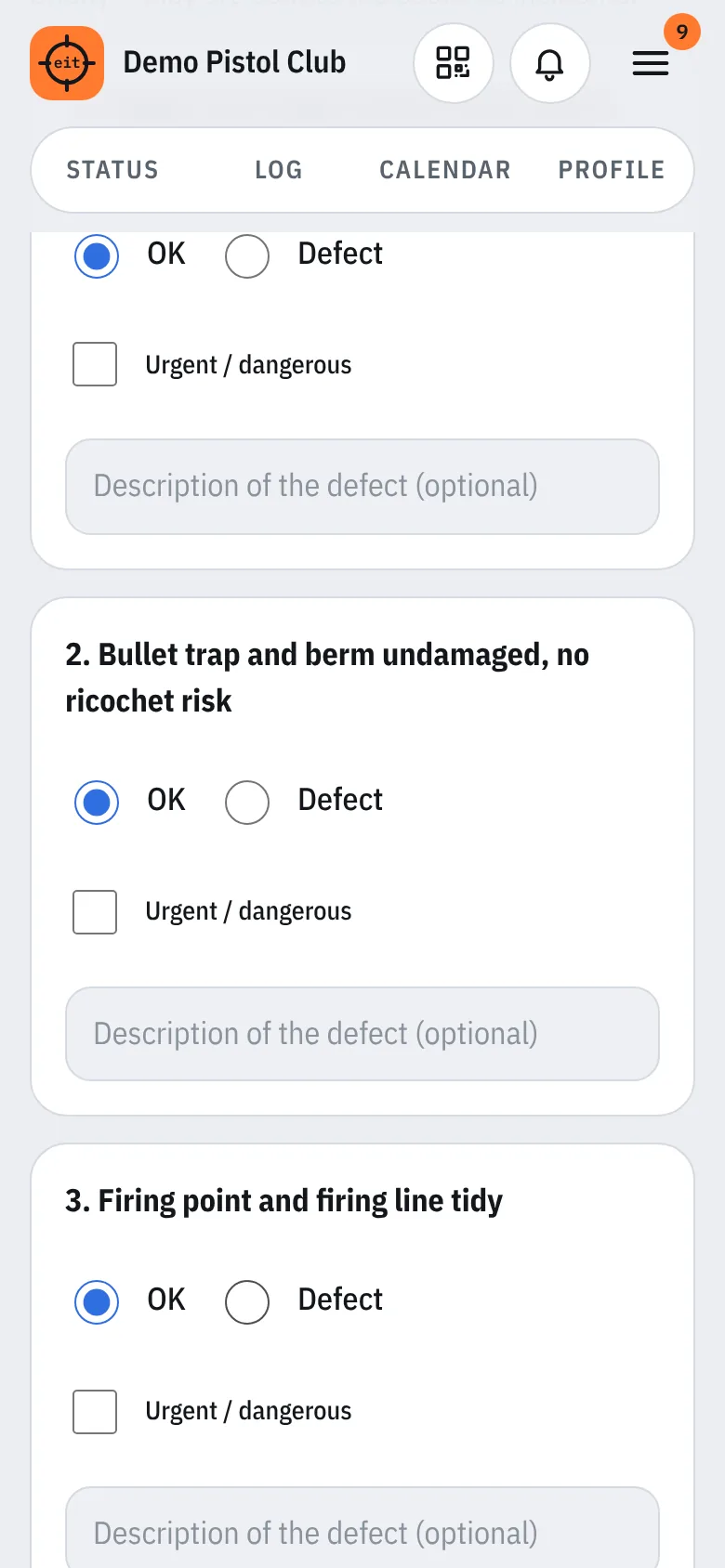
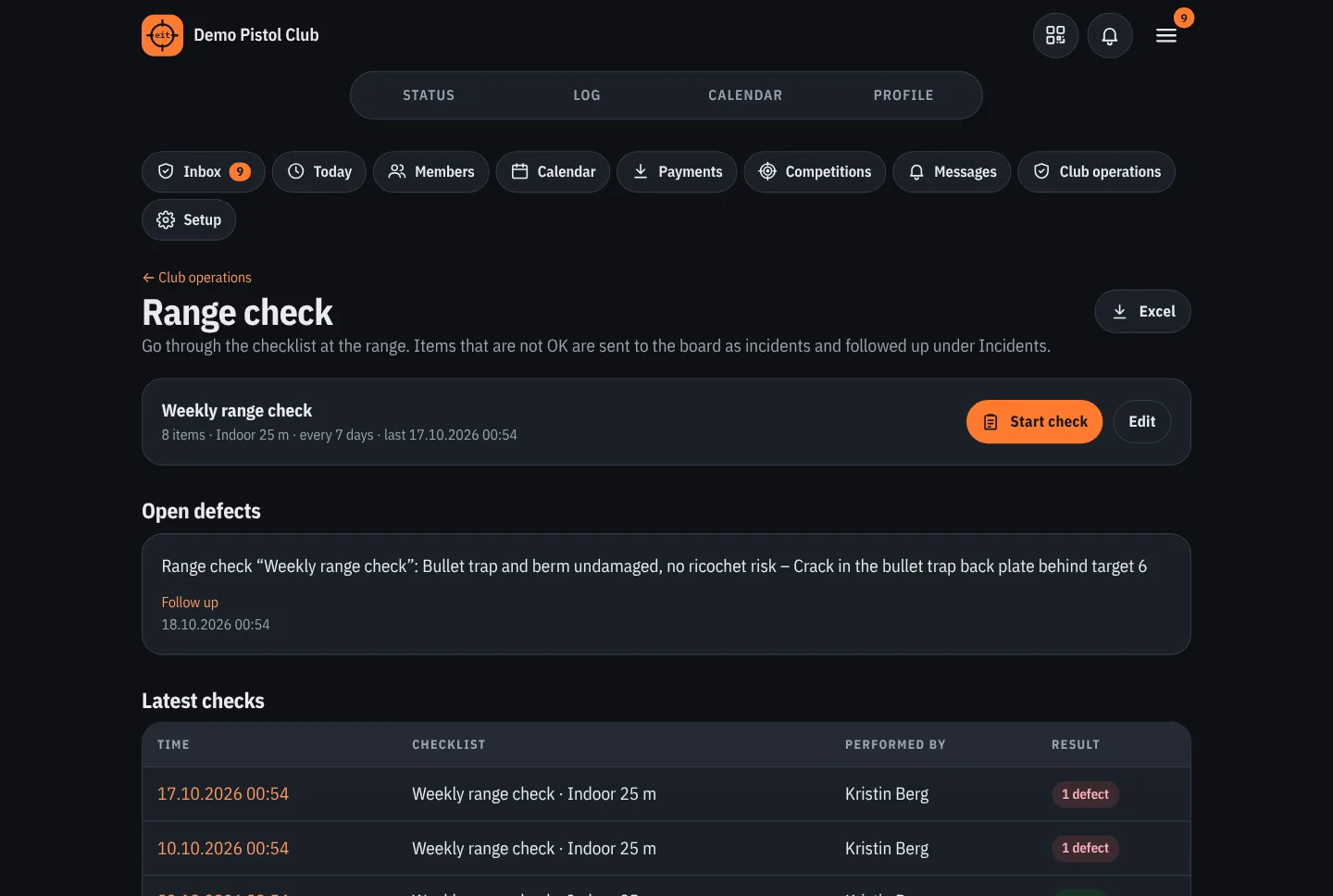
Checklists for the range manager with reminders. Anything not in order becomes an incident that the board follows up.
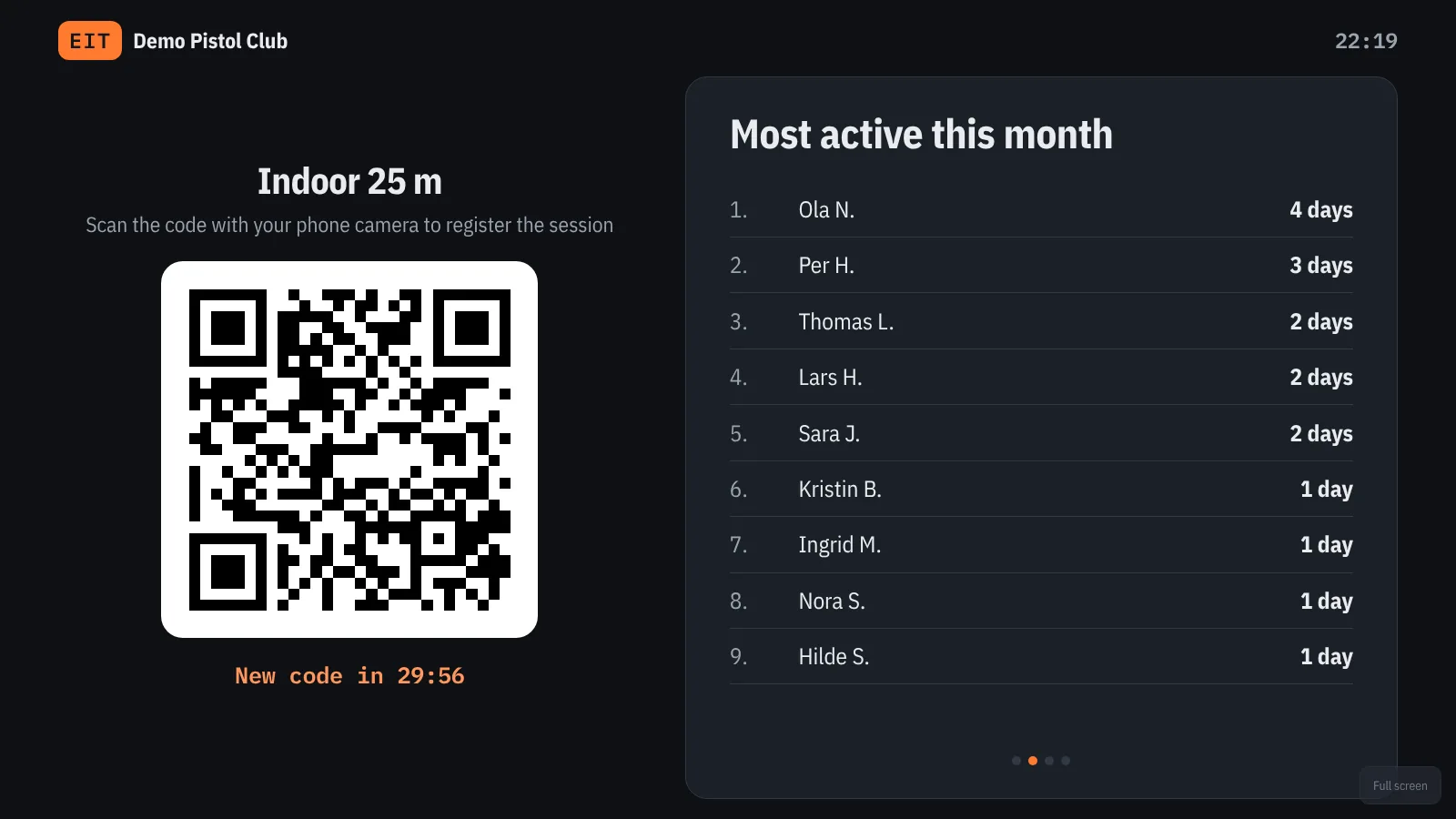
The QR code together with slides: today at the range, most active, milestones, upcoming activities, weather and live results.
A tablet at the range where members tap their photo and enter a four-digit PIN.
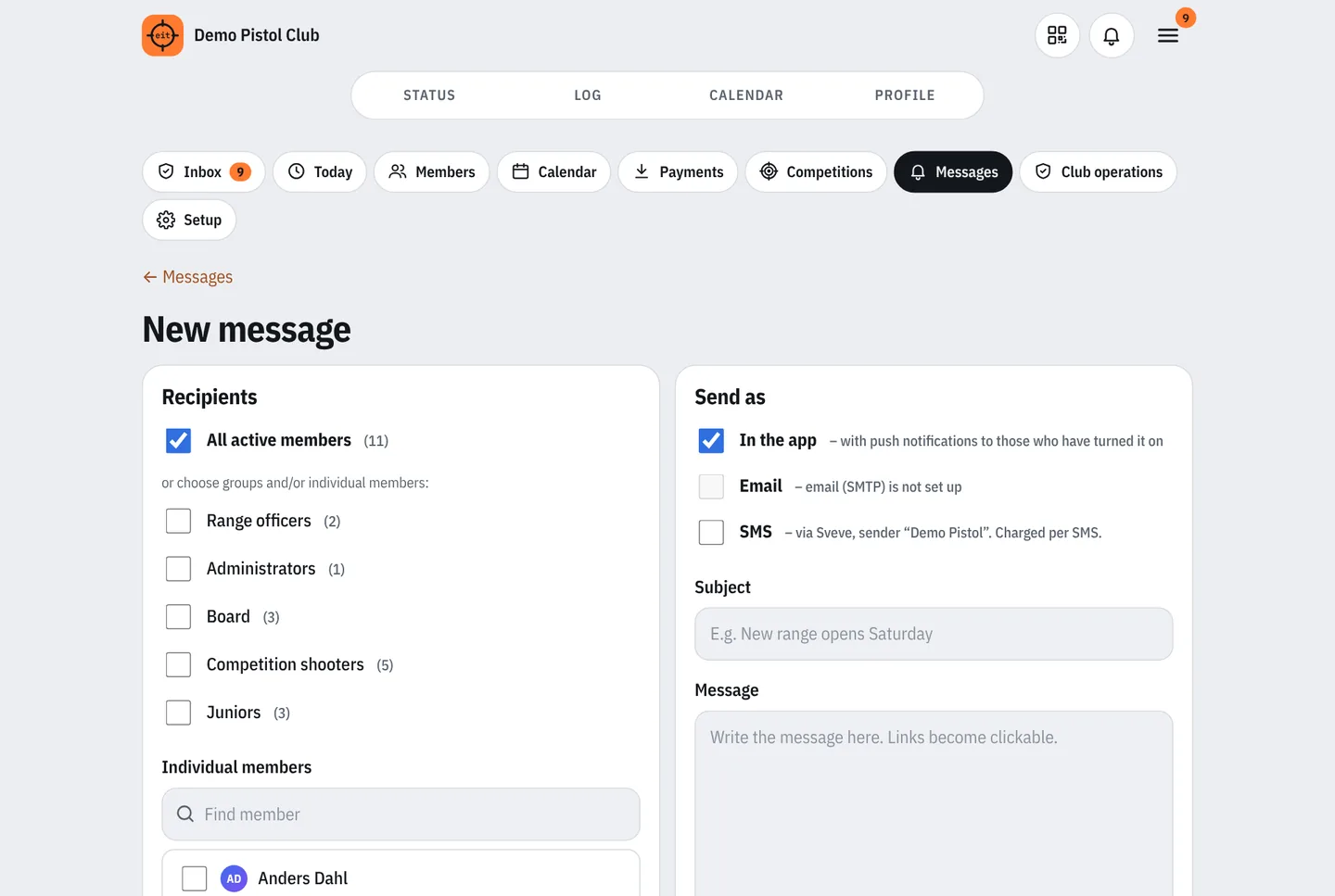
Send to everyone, to range officers, to your own categories such as “Juniors” or to individual members – and see who has read it.
Add the app to the home screen. If the code is scanned offline, the check-in is saved and sent when the connection is back.
Log in with email and password, or with Vipps. “Remember me” for 30 days. One account for several clubs.
Every member chooses their own language. The app, emails, notifications, PDFs and the kiosk follow the choice.
The light theme is easy to read in sunlight at the range, the dark theme is pleasant in the evening. “Auto” follows the phone.
For members
The home page shows whether the range is open, how many are at the range and in the queue, and who is on duty. Below are new messages from the club, your next duty and your progress towards the activity requirement.
Competitions
Set up field and range competitions with classes, weapon groups, stations and relays. Shooters from other clubs enter on the competition page, and the target officer registers the results relay by relay. The ranking follows the NSF rules with inner hits, last station and tied places, and the results update live.
Firearms application
The member selects the sessions or competitions and requests an attest in the app. A range officer or club official checks against the log and approves. The member downloads the police’s own form, filled in – it is signed and stamped as before.
The police form itself is in Norwegian, as the police require.
More for members
For range officers and the board
Club operations
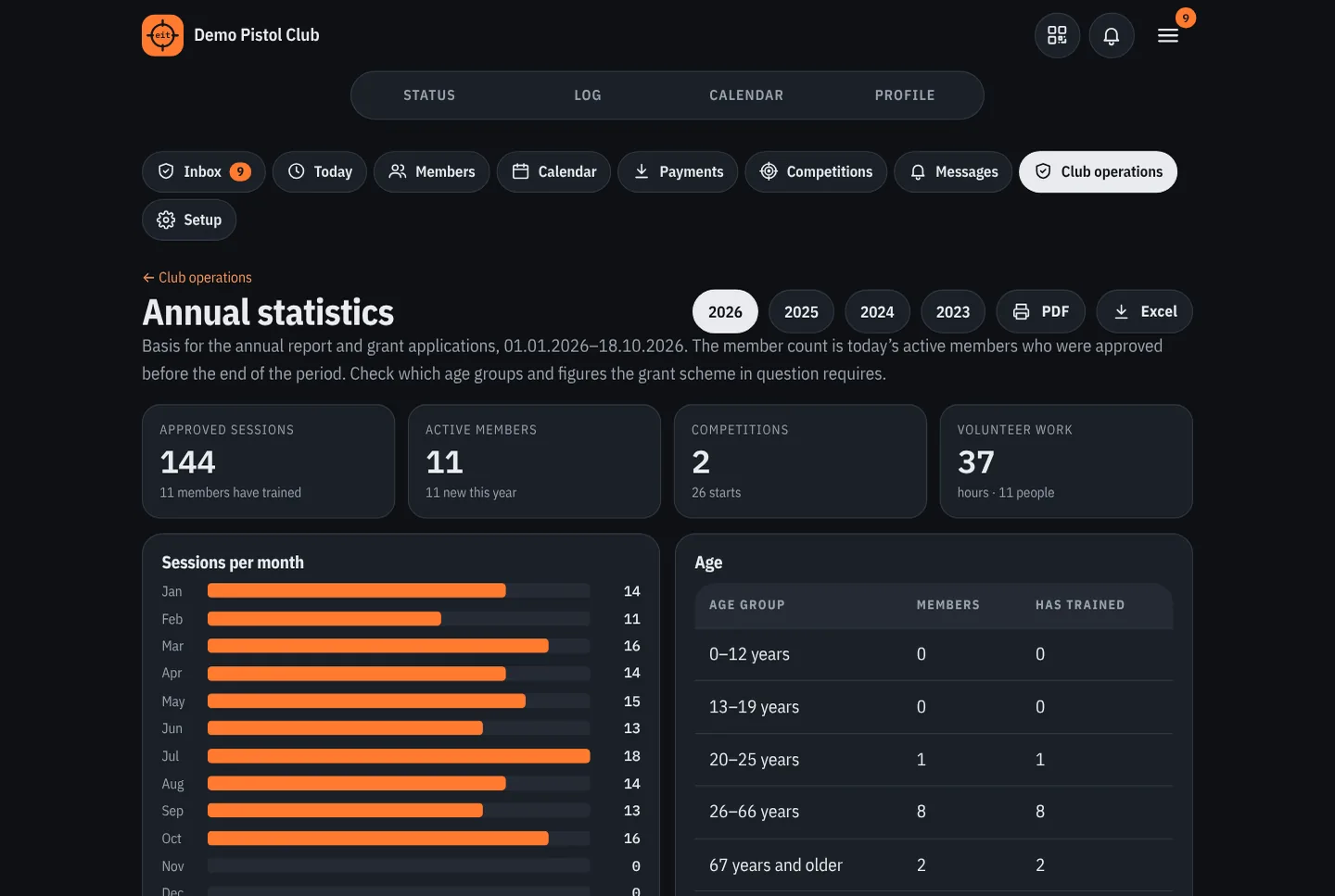
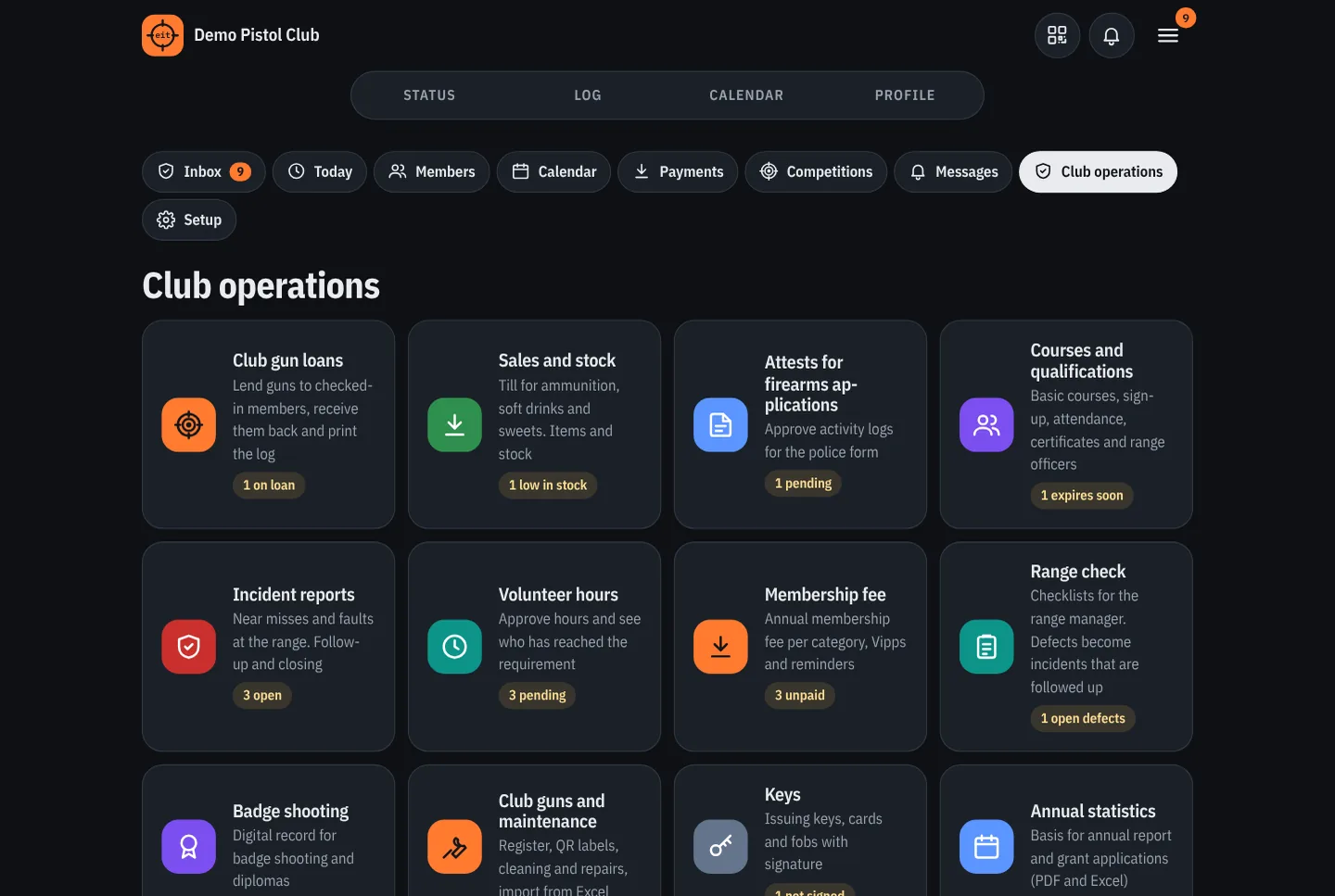
Club gun loans, till, courses, membership fees, volunteer hours, incidents and annual statistics are under “Club operations”. The person on duty gets access to loans and the till while the duty lasts, without having to be a range officer.
Documents, badges and the range
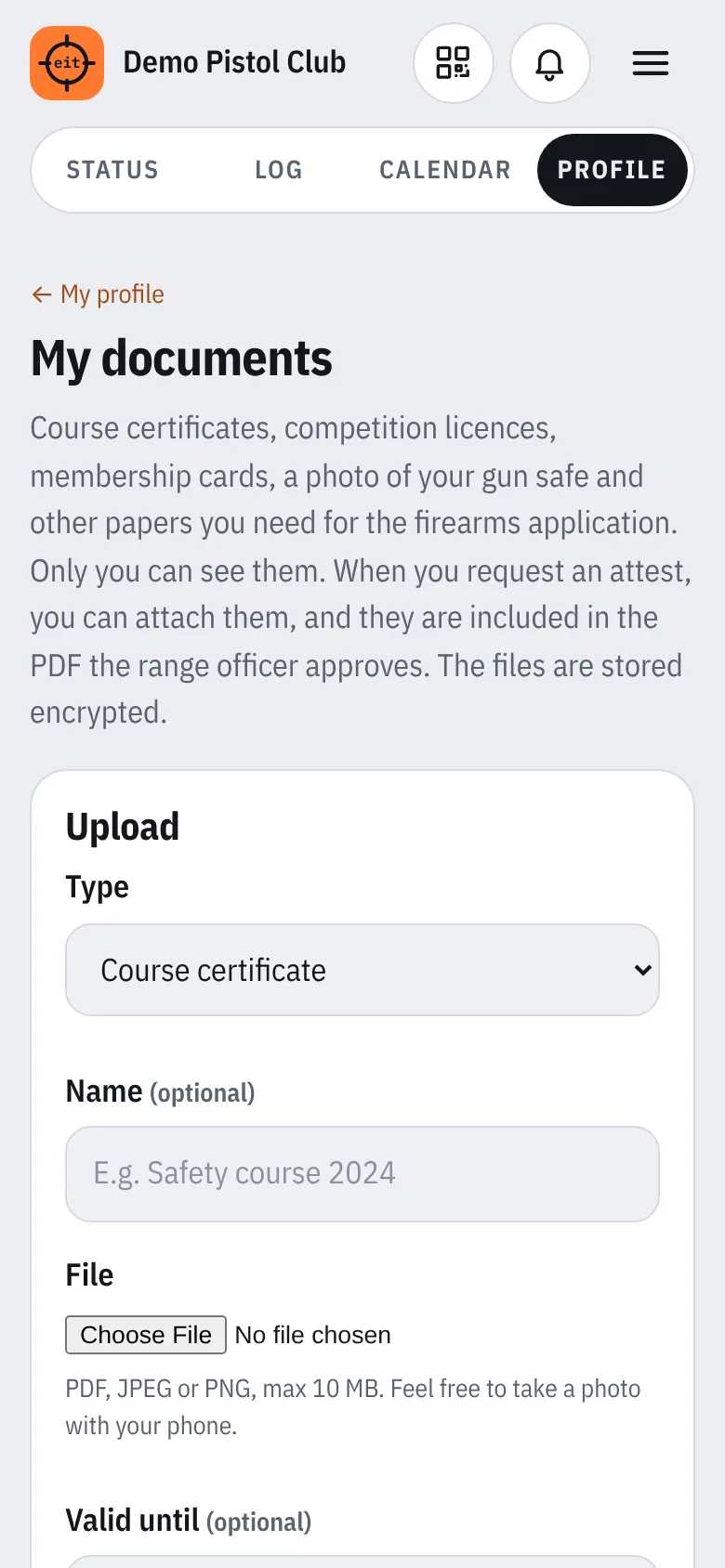
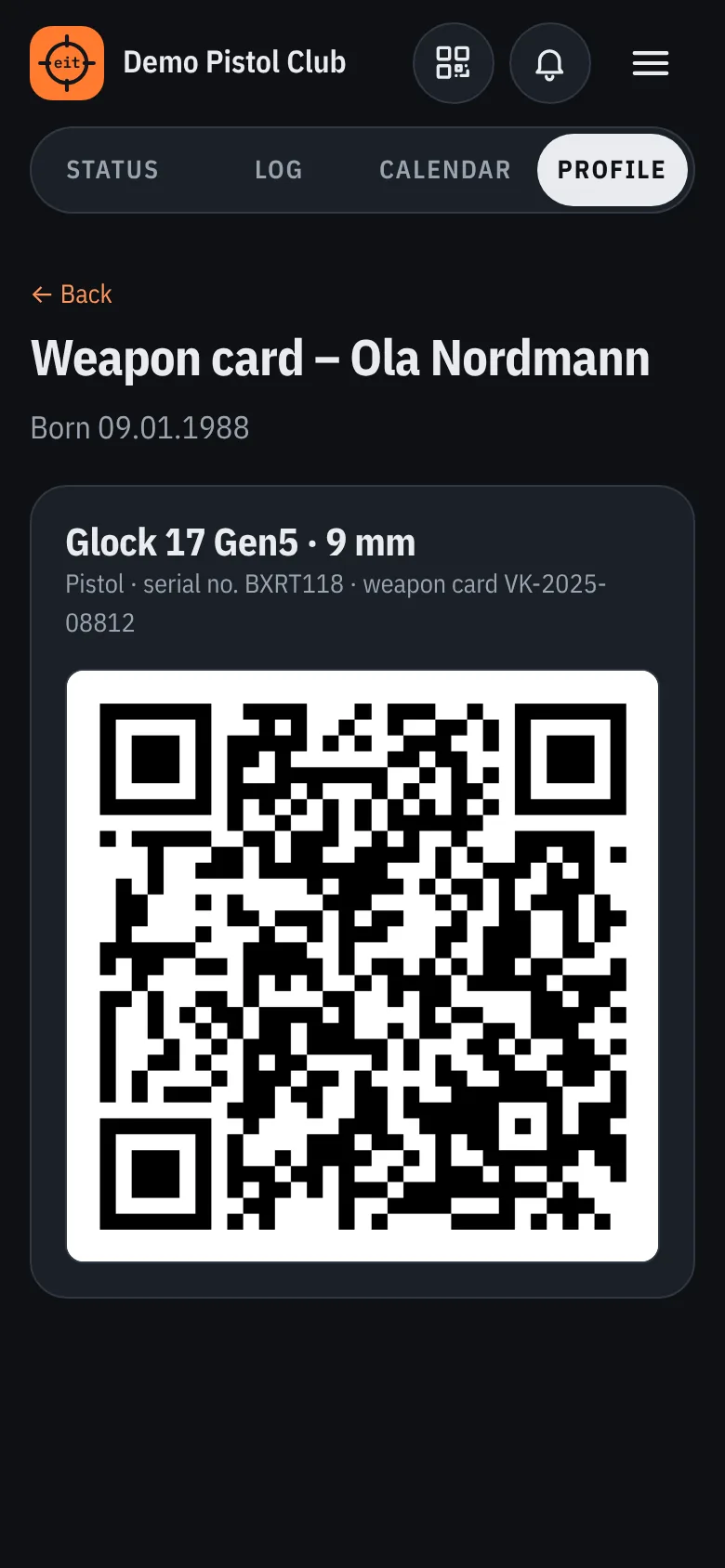
Members have their course certificates, competition licences and weapon cards in their pocket, and attach the documents to the attest with one tap. Badge shooting, keys and range checks are recorded digitally, and the big screen in the clubhouse shows what is going on.

Our promise
EIT is run centrally. The club needs no server, no installation and no IT person of its own – and the data always belongs to the club.
The server and all copies are with providers in Norway and the EU/EEA. No data is transferred to countries outside the EEA.
The database and uploaded files are backed up every night and stored on the server, at another location in Norway and in cloud storage in the EU/EEA. The last 30 copies are kept.
All traffic uses HTTPS. Documents, weapon cards, photos, signatures and the clubs’ Vipps and SMS keys are stored encrypted. Passwords are stored as hashes.
Security updates are applied continuously, and new features come at no extra cost. Planned maintenance is announced and done in the evening.
Our target is for EIT to be available at least 99.5 % of the time outside planned maintenance. Offline check-in works even when the server is down.
If a security breach affects the club’s data, we notify the club within 36 hours and help with the report to the Norwegian Data Protection Authority.
The board gets an answer by email within one working day. If it’s urgent before a competition, we let you know whether it can be solved the same day.
The administrator can download all data as spreadsheets and JSON at any time. On termination the data is deleted within 30 days, and from the backups when they rotate out.
The promise is part of the data processing agreement entered into with each club. See also pricing.
Safe and tidy
Name, email, date of birth, shooter ID and the sessions. Mobile number and profile photo are optional. Date of birth and shooter ID are needed for the activity log for the firearms application.
Only logged-in members of the same club see names and photos. Profile photos are scaled down on the phone, and location and other hidden information is removed before upload.
Passwords are stored encrypted, and login with Vipps is possible. Repeated failed attempts are stopped, and changing the password logs out all other devices.
QR codes can be changed automatically, manual sessions must be approved, and important changes are logged.
EIT is run centrally by EIT, with operations and updates. The club needs no server of its own, and each club has its own data.
Documents, weapon cards, diary photos and signatures are stored encrypted, and so are the clubs’ Vipps and SMS keys. The member’s documents are private – the range officer only sees what the member attaches to an attest.
The administrator can download all the club’s data as spreadsheets and JSON at any time, for archiving or when switching systems.
If an incident report is sent anonymously, the name is not stored anywhere – not even in the log.
Get in touch to hear more, or download the presentation.